7 Best Practices for Automating Appointment Booking
A lead can submit a Meta lead form in seconds, then disappear while the booking workflow waits for a salesperson, a calendar check, or the next business day. The best practices for automating appointment booking solve that delay by treating every inquiry as a stateful process: capture consent, reply immediately, expose valid slots, split booked and unbooked leads, and record each outcome.
The evidence for speed is old but still operationally useful. In 2007, the InsideSales.com and MIT lead-response study analyzed more than 15,000 web leads and 100,000 call attempts, finding that contact odds fell 100-fold between a five-minute and 30-minute response (InsideSales.com/MIT, Lead Response Management Study). The seven practices below were selected for conversion impact, implementation reliability, SMS compliance, and measurability inside systems such as HighLevel workflows.
Key Takeaways
Appointment automation works when speed, booking state, and consent are designed together. In 2024, Twilio based its messaging guidance on responses from more than 4,800 consumers across six countries (Twilio, Global Messaging Engagement Report).
- Reply while the inquiry is still active.
- Branch on actual appointment status, not elapsed time alone.
- Measure bookings, replies, clicks, no-shows, and opt-outs separately.
1. Model Booking States Before Building Workflows
Define the lead states first, because automation cannot make a reliable decision from vague pipeline labels. In 2026, HighLevel documented two separate appointment triggers for customer-created bookings and appointment-status changes (HighLevel, Customer Booked Appointment Trigger; HighLevel, Appointment Status Trigger).
A practical model includes new lead, contacted, engaged, booked, confirmed, rescheduled, cancelled, no-show, and opted out. Store the current state in one authoritative field or opportunity stage, then let workflows react to changes in that field. Do not infer “not booked” simply because 20 minutes passed; first query whether an appointment exists, whether the contact replied, and whether the calendar link was clicked.
We have worked through this exact state-mapping problem with teams sending Facebook leads into GoHighLevel. The common failure is not missing message copy. It is two workflows believing they own the same contact.
2. Respond Within Minutes, Then Ask for One Action
Send the first SMS immediately and ask the lead to take one clear action: book, reply with a preferred time, or answer one qualifying question. In 2007, the InsideSales.com/MIT study found that qualification odds were 21 times higher at five minutes than at 30 minutes, although the study predates modern SMS funnels (InsideSales.com/MIT, Lead Response Management Study).
For a Facebook lead, use the Meta Lead Ads API or HighLevel’s native trigger so the lead enters the workflow as soon as the form is received. The first text should identify the business, reference the inquiry, and provide the booking link. A short video can follow after the lead clicks or replies, but keep it optional and under a minute; the video explains the next step, while the calendar remains the conversion action.
3. Split Booked and Unbooked Leads on Real Events
Create separate booked and unbooked paths, and remove a contact from the unbooked sequence the moment an appointment is created. In 2025, HighLevel documented three appointment-filter examples: rescheduling, start time, and end time inside its If/Else action (HighLevel, Appointment Filter Options).
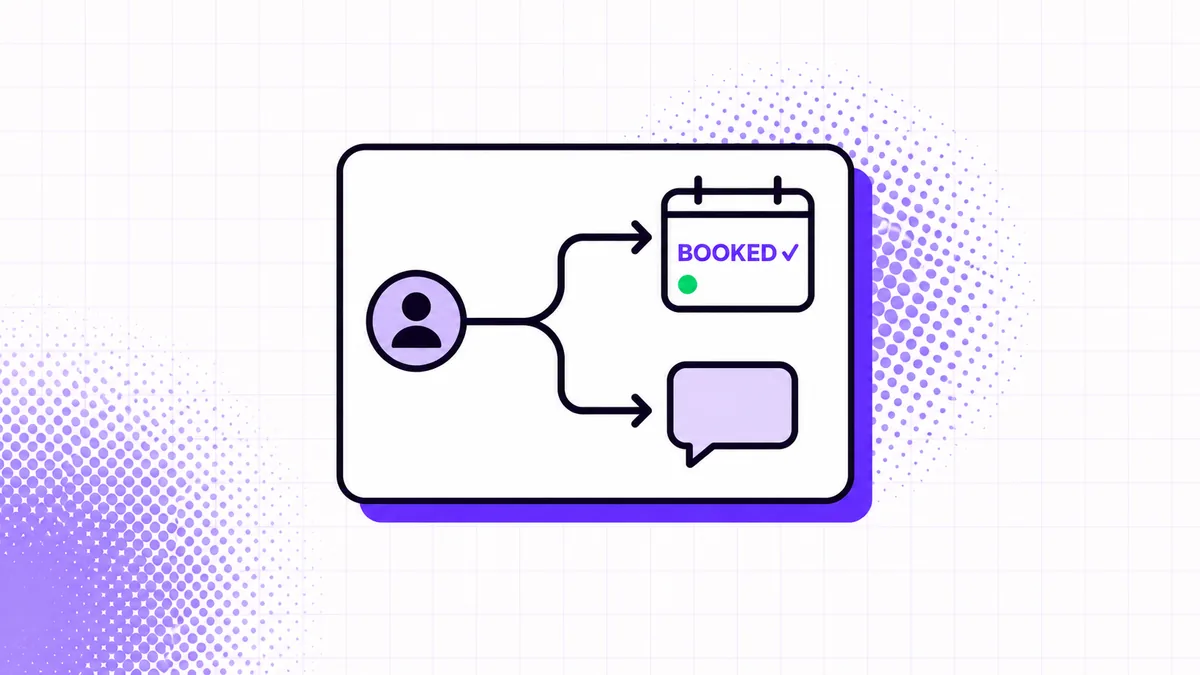
The booked path should send confirmation, reminders, reschedule instructions, and internal notifications. The unbooked path should continue with limited follow-up, change the message after a reply, and stop when the contact books, opts out, or is manually disqualified. Add a final guard before every outbound message: appointment exists?, DND or opt-out set?, business-hour restriction satisfied? This extra check prevents the embarrassing “still looking for a time?” text after someone has already scheduled. Automated Appointment Booking handles this layer by splitting booked and unbooked contacts from the same appointment event, which prevents duplicate follow-up without manual tagging.
4. Make the Calendar the Source of Truth
Use one calendar record as the source of truth for availability, ownership, time zone, and appointment status. In 2026, HighLevel’s dashboard documentation listed at least five appointment-focused widgets, including booked, confirmed, and status-based counts (HighLevel, Dashboard Widgets).
When teams compare the top appointment booking platforms with automation features in 2025 and 2026, the decisive detail is not the booking-page design. It is whether the platform emits dependable create, reschedule, cancel, and no-show events. Prevent double booking with connected user calendars, define buffer and minimum-notice rules, and store the appointment ID on the contact record. For round-robin assignment, log both the assigned user and the rule that selected them so a later reassignment does not erase attribution.
5. Use Two-Way Reminders, Not Broadcast-Only Notices
Send reminders that let the recipient confirm, reschedule, or cancel without calling the office. In 2026, a meta-analysis of 10 randomized trials covering 8,236 participants found that reminders increased outpatient attendance by 11% overall (Journal of Hospital Management and Health Policy, Appointment Reminder Meta-Analysis).
A useful cadence is a confirmation immediately after booking, a reminder 24 hours before, and a shorter reminder two hours before, adjusted for the service and lead time. The benefits of automated appointment booking for clinics come from recovering capacity early, not merely sending more texts. Automated dental appointment booking systems reduce no-shows most effectively when a “C” or “confirm” reply updates the appointment and a cancellation reply releases the slot for another patient. HighLevel can send channel-specific notifications from calendar events through its calendar notification settings.
6. Build Consent and Opt-Out Handling Into Every Path
Treat consent, identity, and suppression as workflow data, not footer text. In 2025, the FCC’s updated revocation rules took effect on April 11 and recognized reasonable opt-out methods beyond a single prescribed keyword (FCC, TCPA Rules on Revoking Consent).
For U.S. application-to-person messaging, register the brand and campaign under A2P 10DLC, show explicit SMS consent at the form, keep the checkbox unchecked by default, identify the sender, and include opt-out language. Twilio’s registration guidance states that consent must be verifiable and cannot be requested through an SMS sent before consent exists (Twilio, A2P 10DLC Registration Quickstart). Route STOP, QUIT, END, CANCEL, UNSUBSCRIBE, and reasonable free-text revocations into a global suppression field that every workflow checks before sending.
7. Track Funnel Events, Not Just Message Volume
Measure the transitions that explain booking performance: lead received, first reply sent, customer replied, booking-link clicked, video watched, appointment booked, confirmed, cancelled, no-show, and opted out. In 2025, HighLevel documented two separate event mechanisms for link clicks and percentage-based video viewing (HighLevel, Trigger Link Clicked; HighLevel, Video Tracking Trigger).
Use a stable lead ID and appointment ID across Meta, GoHighLevel, and any reporting layer. Calculate lead-to-booking rate, median time to first response, reply-to-booking rate, show rate, and opt-out rate by campaign and assigned rep. Video views are only measurable where the player emits an event, so report link clicks separately from verified watch thresholds. That distinction stops a dashboard from claiming someone watched a video merely because the landing page loaded.
Key Takeaway Section
The strongest appointment systems reduce ambiguity at each handoff, not just manual typing. In 2024, Twilio’s global messaging benchmark covered six countries, a useful reminder that channel preferences and compliance assumptions should be tested by market rather than copied unchanged (Twilio, Global Messaging Engagement Report).
- Design around state changes: Booking, cancellation, confirmation, reply, and opt-out events should stop or start specific paths immediately.
- Keep the first response simple: One identity statement, one context sentence, and one booking action outperform a message packed with choices.
- Instrument the full funnel: A booked appointment without source, consent, and show-status data is not a usable conversion record.
For voice-heavy businesses, systems that support automated appointment booking via voice should write the same appointment ID and consent status used by SMS and web booking. Service teams can automate retail appointment bookings for better service by using identical state logic for consultations, fittings, demos, and pickups.
FAQs
Appointment booking can be automated with a trigger, a shared state model, a calendar API, compliant messaging, and event-level reporting. In 2026, HighLevel’s documented workflow architecture reduced the core build pattern to three parts: a trigger, one or more actions, and testing before publication (HighLevel, Introduction to Workflows and Automations).
How to automate inbound inquiries into booked appointments?
Inbound inquiries become booked appointments when each form, call, chat, or ad lead creates a contact and immediately starts a qualification and calendar workflow. The workflow should send one booking action, detect replies, check appointment status before each follow-up, and stop the unbooked path as soon as a booking event arrives.
How AI agents automate appointment booking for local businesses?
AI agents automate appointment booking by collecting intent, checking approved availability, creating or rescheduling an appointment, and handing exceptions to a person. The best AI scheduling assistants for automated appointment booking in 2025 and 2026 should expose tool calls, booking IDs, time-zone handling, and escalation rules rather than relying on free-form conversation alone.
How automated appointment reminders increase bookings?
Automated appointment reminders increase completed bookings by prompting confirmation and making rescheduling easier before the slot is lost. A 24-hour reminder plus a near-term reminder is a sensible starting cadence, but clinics should test timing by service type, lead time, and patient behavior.
How to automate appointment booking for service businesses?
Service businesses automate appointment booking by connecting lead capture, qualification rules, technician or advisor availability, reminders, and cancellation handling. The same pattern works for home services, consultations, and retailers that need to automate retail appointment bookings for better service.
How to automate appointment booking process for businesses?
Businesses automate the appointment booking process by defining states, assigning one source of truth for availability, and making each workflow react to real events. The implementation should include duplicate prevention, owner assignment, time-zone conversion, suppression checks, and reporting fields before messages go live.
How to automate appointment booking with AI?
AI can automate appointment booking when the model is restricted to approved actions such as search availability, create booking, reschedule, cancel, and escalate. Systems that support automated appointment booking via voice need the same permission boundaries and confirmation step as SMS or chat, especially when names, dates, and phone numbers may be misheard.
How to automate online appointment booking?
Online appointment booking is automated by publishing a calendar with live availability and connecting its booking events to CRM and messaging workflows. Use minimum notice, buffers, connected calendars, confirmation pages, and appointment-status webhooks so the online form cannot create a record that the follow-up system fails to recognize.
What tools can help automate appointment booking?
Appointment booking can be automated with GoHighLevel, Calendly, Cal.com, Microsoft Bookings, CRM workflow tools, SMS providers, and voice-agent platforms. Searches for the top appointment booking platforms with automation features in 2025 and 2026 should focus on event coverage, API access, consent controls, reporting, and calendar conflict handling rather than feature-count lists.
Conclusion
The best appointment automation is a state machine with a calendar attached, not a long drip campaign. In 2026, the reminder meta-analysis found an 11% attendance lift across 8,236 participants, showing why timely confirmation and rescheduling paths deserve as much attention as lead capture (Journal of Hospital Management and Health Policy, Appointment Reminder Meta-Analysis). For teams that need SMS, booking paths, reminders, reporting, and opt-out controls built together, CogWorkLabs provides a custom automated lead-follow-up system for GoHighLevel teams.
 Zeeshan Ahmad
 Zegham AliJul 9, 2026
 Awais Ahmad
 Awais Shahid