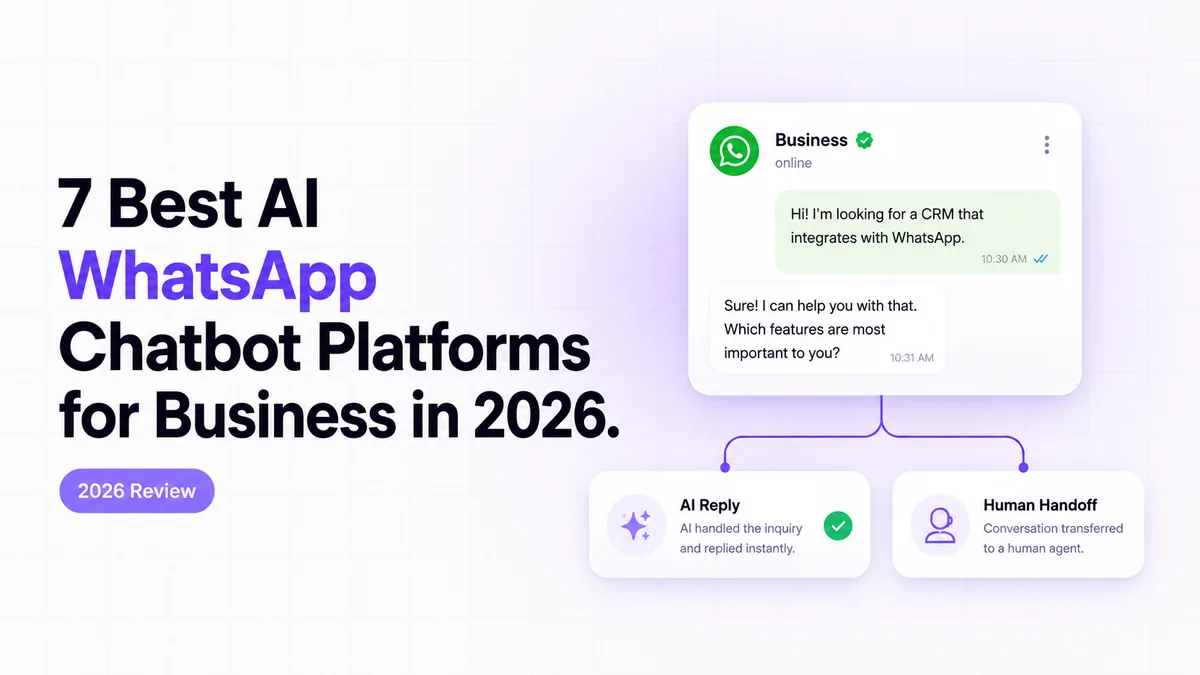
7 Best AI WhatsApp Chatbot Platforms for Business in 2026
Finding the Best AI WhatsApp Chatbot for Your Business
The best AI WhatsApp chatbot is not the one with the longest feature list; it is the one that can answer real customer messages, complete the right business action, and hand control to a person before a mistake becomes expensive.
An AI chatbot for WhatsApp Business connects the official WhatsApp Business Platform to conversation logic, company data, workflow tools, and a human support process. Some products provide this through a managed visual builder. Others expose webhooks, APIs, code, or automation platforms such as n8n so the business can control each step.
This ranking focuses on business fit: reply quality, workflow depth, Meta support, failure recovery, auditability, human handoff, security, and total operating cost.
Source: Meta Newsroom, 2025–2026.
Key Takeaways
The strongest choice depends on whether you need a ready-made inbox, marketing flows, knowledge retrieval, omnichannel routing, or a controlled custom workflow.
CogWorkLabs is the top fit for auditable custom workflows involving Meta webhooks, n8n, business systems, logging, and human escalation.
WATI is the strongest WhatsApp-first SaaS option for support teams that want a shared inbox and managed automation.
Respond.io is better when WhatsApp is one of several channels that must share routing rules and customer records.
Headline subscription prices are incomplete because Meta messaging, AI usage, contacts, seats, hosting, setup, and maintenance may be billed separately.
Use a platform for standard flows; use a custom build when the chatbot must execute sensitive or company-specific actions.
In 2026, Meta reported that more than one million businesses were already using a Meta Business Agent across WhatsApp and Messenger (Meta Newsroom, Meta Business Agent).
1. WhatsApp Business AI Chatbot - Best for Auditable n8n Workflows
The CogWorkLabs WhatsApp Business AI Chatbot is the best option here for businesses that need a traceable workflow rather than a closed chatbot builder.
In 2025, Meta said more than two billion people used WhatsApp daily, which explains why production systems need dependable routing, logging, and escalation rather than a prompt connected directly to a phone number (Meta Newsroom, Ways to Manage Your Business’s Chats on WhatsApp).
CogWorkLabs built and sells this product, so its first-place position comes with an ownership disclosure. It ranks first for the specific use case defined in this article: an official WhatsApp Cloud API connection with visible webhook processing, n8n routing, controlled AI replies, business-system actions, failure handling, and auditable handoff.
A typical message enters through a Meta webhook. The workflow validates the event, ignores duplicate delivery statuses, loads the customer record, classifies the request, and routes it to the correct branch. A support question may query approved knowledge. A booking request may check a calendar. A payment request may create a payment-session URL through the company’s payment provider rather than allowing the model to invent transaction details.
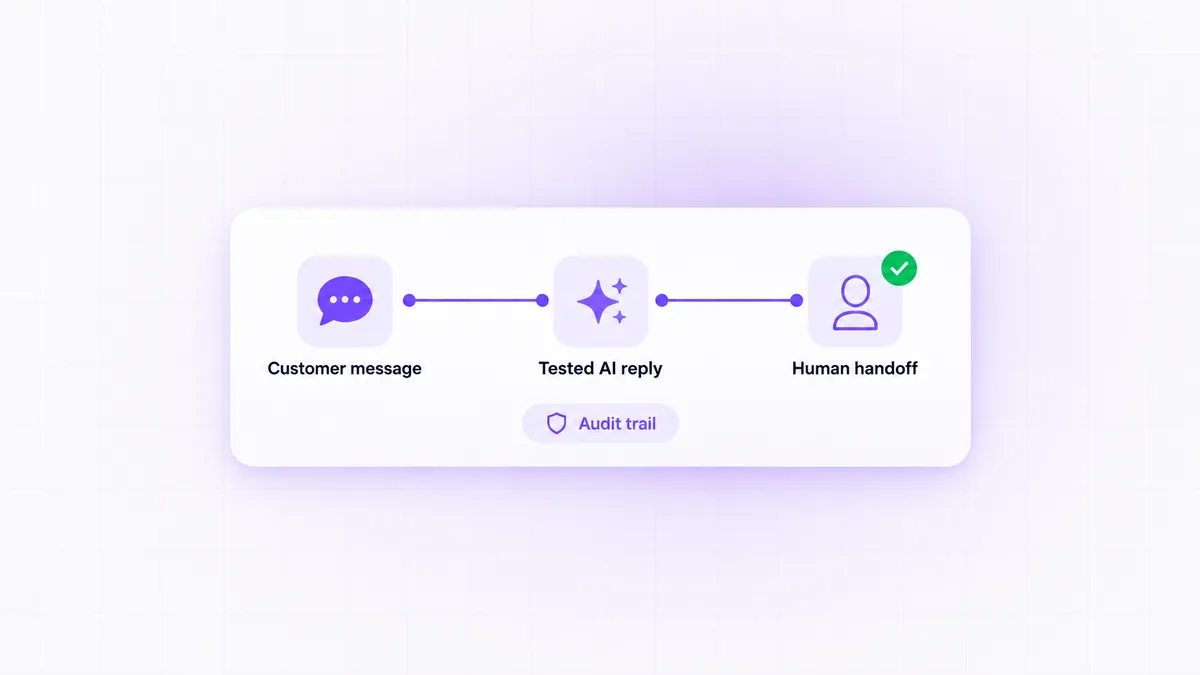
The important distinction is that the language model does not own the workflow. It proposes or formats the reply, while deterministic nodes control identity checks, database updates, reservation availability, payment creation, retries, and escalation.
The WhatsApp Business AI Chatbot handles this layer exactly this way: each reply and workflow decision can be recorded before the message returns through Meta, which gives operators a usable audit trail without manually reconstructing a conversation from separate systems.
Strengths: deep workflow control, n8n extensibility, retry branches, custom CRM or booking connections, human escalation, and inspectable logs.
Limitations: it requires proper Meta Business setup, approved access, deployment ownership, and an agreed maintenance process. It is not the cheapest choice for a company that needs only a basic FAQ flow.
Pricing depends on the integrations, deployment, message volume, and support model rather than a fixed public subscription. We have worked through this exact routing problem with teams whose chatbot needed to update operational systems, not merely answer questions. If you are mapping that out now, the AI chatbot for WhatsApp Business shows how the components fit together.
WATI is the strongest ready-made choice for a support team that treats WhatsApp as its main customer-service channel.
WATI’s current Pro allowance includes five users, 2,000 automation triggers, 200,000 API calls, and 500 AI Copilot credits per month, while its Astra AI Agents are priced separately (WATI, Pricing). Those limits matter because a plan may appear sufficient by seat count while its automation or AI allowance becomes the actual constraint.
The platform combines an official WhatsApp connection, shared team inbox, templates, broadcasts, contact management, automation, integrations, and agent assignment. A manager can distribute conversations among support representatives while automation handles initial questions, qualification, order updates, or routing.
WATI is easier to operate than a custom webhook stack because the inbox, permissions, templates, and workflow interface are already packaged. That makes it a sensible fit for a support manager who wants the team working inside one product rather than maintaining n8n, application logs, hosting, and separate inbox software.
Its AI features can assist with replies and structured conversations, but buyers should distinguish Copilot-style assistance from autonomous agents and from standard rule-based automation. They may carry different allowances or charges.
Best fit: WhatsApp-first support, sales qualification, campaigns, templates, and agent collaboration.
Main limitation: deeper cross-system transactions may be constrained by the available workflow actions and integrations. Confirm how the platform handles a failed API request, duplicate webhook, unavailable agent, or partially completed booking before committing.
WATI is usually a better purchase than a custom build when the business process already matches its inbox and automation model. It is less compelling when the chatbot must apply company-specific authorization rules or produce a detailed event log across several internal systems.
Respond.io is the best fit when WhatsApp conversations must share routing, customer context, and team ownership with other messaging channels.
Respond.io lists annual-billing prices of $79 per month for Starter, $159 for Growth, and $279 for Advanced (Respond.io, Pricing). The price ladder reflects a broader operating model than a simple WhatsApp chatbot: teams are paying for contact management, channel connections, workflow control, reporting, permissions, and inbox collaboration.
Source: Respond.io pricing.
Its main advantage is orchestration across channels. A customer might enter through WhatsApp, return through Instagram, and later respond by email or another supported channel. Respond.io can preserve the contact record and apply assignment rules without treating every channel as a separate customer.
The workflow builder can classify conversations, enrich contact fields, assign teams, trigger integrations, and transfer a thread to a person. AI agents can handle defined stages of a conversation, while routing and lifecycle rules determine what happens before and after the AI response.
For sales lead qualification, the useful feature is not merely asking questions. The system must write answers into structured contact fields, reject or flag incomplete data, assign qualified leads, and preserve the transcript for the sales representative. That makes Respond.io one of the stronger candidates for the best WhatsApp AI chatbot for sales lead qualification, especially when leads arrive through several channels.
Best fit: businesses with multiple messaging channels, regional teams, CRM routing, and formal assignment rules.
Main limitation: costs rise as contact, governance, reporting, and automation requirements grow. Teams also need to design their workspace carefully; an omnichannel platform can centralize confusion just as easily as it centralizes customer context.
Before selecting a plan, test how the product handles merged contacts, repeated messages, unavailable teams, workflow errors, AI escalation, and reassignment after business hours.
ManyChat is the best option in this list for marketing-led conversations, lead capture, follow-up sequences, and campaign automation.
ManyChat Business costs $69 per month when billed annually and includes 7,500 active contacts, five users, unlimited channels, AI conversations, and a shared inbox (ManyChat, Pricing). The active-contact model deserves attention because acquisition campaigns can increase billable usage even when many contacts exchange only a small number of messages.
ManyChat is designed around visual automation. A marketer can capture a lead, ask qualifying questions, apply tags, branch by response, send an approved template, notify a salesperson, or trigger an e-commerce follow-up without building a separate application.
That makes it one of the more practical WhatsApp AI chatbot tools for e-commerce businesses when the job is conversational selling rather than complex customer support. Common uses include product discovery, campaign responses, cart follow-up, coupon delivery, order-status entry points, and routing high-intent shoppers to a person.
The interface is easier for marketing teams to own than a custom API workflow. It also supports work across multiple conversational channels, which is useful when the same campaign runs on WhatsApp and social messaging.
Best fit: creators, marketing teams, e-commerce stores, campaign funnels, and straightforward sales automation.
Main limitation: visual campaign logic is not the same as unrestricted backend orchestration. A flow that must reserve inventory, validate account permissions, reconcile a payment, update several databases, and recover from partial failure may need a more programmable platform.
Template rules also shape what can be sent outside an active customer conversation. Test the intended campaign with approved message categories and real account settings rather than assuming that a flow available in the builder can be delivered at any time.
Botpress is the strongest platform here for technical teams that need custom AI behavior without building every conversation component from scratch.
Botpress Plus costs $79 per month on annual billing plus AI spend and adds human handoff, conversation insights, and visual knowledge-base indexing (Botpress, Pricing). Separating platform cost from AI consumption is important because the same conversation flow can produce different model costs depending on prompt size, retrieved content, response length, and tool use.
Botpress provides a visual studio, knowledge sources, reusable workflows, variables, integrations, custom actions, testing, and code-level extension points. A team can build a WhatsApp assistant that retrieves approved information, collects structured details, invokes an external API, and changes its next step according to the API result.
Its advantage is control over conversation logic. Developers can define when the model may answer freely, when it must retrieve documents, when it must call a tool, and when it should stop and transfer the conversation.
That control is useful for product support, internal service desks, technical qualification, and assistants with several business actions. It also makes Botpress more suitable than a basic no-code flow when the same user request can take several paths depending on account state or external data.
Best fit: technical product teams, custom AI assistants, knowledge retrieval, API actions, and conversation testing.
Main limitation: flexibility creates implementation responsibility. The team still needs to design authentication, data validation, error handling, prompt boundaries, monitoring, and WhatsApp delivery. Human handoff also needs a real destination and ownership process; adding a handoff node does not create an operational support team.
Botpress is a strong middle ground when a company needs programmable AI logic but does not want to own a complete orchestration framework.
Chatbase is the best fit for a business whose main requirement is answering WhatsApp questions from approved documents, website content, or a controlled knowledge base.
Chatbase plans include 50 monthly message credits on Free, 500 on Hobby, 4,000 on Standard, and 15,000 on Pro (Chatbase, Pricing). That spread makes expected conversation volume one of the first plan checks rather than an issue to investigate after launch.
Source: Chatbase pricing.
The core workflow is retrieval-based answering. The platform indexes supplied content, finds passages related to the user’s question, and gives those passages to the model when preparing a reply. This technique is commonly called retrieval-augmented generation, meaning the answer is grounded in selected source material rather than generated from the model’s general memory alone.
Chatbase is useful for product FAQs, policy questions, onboarding instructions, service explanations, and repetitive support requests. It can reduce the amount of custom conversation design required when the desired behavior is mostly “find the approved answer and explain it clearly.”
The platform can also connect actions and integrations, but buyers should inspect the exact capabilities required for transactions. Answering “What is your cancellation policy?” is fundamentally different from authenticating the customer, finding a reservation, applying the policy, updating the booking system, and issuing a refund.
Best fit: document-grounded support, website knowledge, internal policies, and frequently asked questions.
Main limitation: complex transactional workflows may require an external automation layer. Knowledge grounding also reduces, but does not eliminate, incorrect answers. Teams should test missing information, contradictory documents, outdated pages, vague questions, and requests that should be escalated rather than answered.
Chatbase is a practical choice when answer quality and content management matter more than sophisticated workflow branching.
Landbot is the best WhatsApp AI chatbot builder with no-code tools for teams that prefer structured visual conversations over developer-owned orchestration.
Landbot WhatsApp Pro costs €200 monthly or €160 per month on annual billing and includes 2,500 chats, 500 AI chats, three seats, and 10,000 service messages (Landbot, Pricing). These allowances measure different things, so a buyer must identify which limit the intended workflow is most likely to reach.
Source: Landbot pricing.
Landbot’s visual builder works well for guided journeys: lead forms, qualification, appointment requests, surveys, service selection, and step-by-step support. A non-technical operator can see the branches, edit copy, connect integrations, and test the flow without reading application code.
AI blocks can make part of the conversation more flexible, but they do not turn every structured flow into an autonomous agent. The distinction matters. A fixed flow follows explicit branches. An AI agent interprets language and chooses among permitted actions. Combining both can work well when AI handles the user’s wording while the visual workflow controls data collection and business rules.
Best fit: non-technical teams, structured lead capture, appointment flows, surveys, and predictable customer journeys.
Main limitation: highly conditional or transaction-heavy processes can become difficult to manage visually. Large flow diagrams may hide duplicated logic, missing error branches, and inconsistent field mapping.
Landbot is a sensible choice when business users must own the conversation design. Before purchase, check chat allowances, AI-chat limits, service-message limits, seats, template handling, human takeover, and the cost of any external integration used by the flow.
AI WhatsApp Chatbot Comparison Table
The comparison below shows which platform fits each operating model rather than declaring one product universally superior.
In its current pricing, Respond.io ranges from $79 per month for Starter to $279 for Advanced on annual billing, showing why native plan tiers and billing terms must remain visible in any fair comparison (Respond.io, Pricing).
Platform
Best fit
Starting price or model
Official Meta connection
No-code use
Custom workflow depth
Knowledge features
Human handoff
Auditability
Main limitation
CogWorkLabs
Auditable n8n workflows
Custom scope
Yes
Moderate
Very high
Configurable
Yes
Detailed workflow logs
Requires implementation ownership
WATI
WhatsApp-first support
Plan-based
Yes
High
Medium
AI assistance and agents
Yes
Platform-level
Advanced AI may cost separately
Respond.io
Omnichannel routing
$79 monthly on annual billing
Yes
High
High
AI agents and workflows
Yes
Strong
Cost and setup grow with complexity
ManyChat
Marketing automation
$69 monthly on annual billing
Yes
Very high
Medium
AI conversations
Yes
Campaign-focused
Less suited to complex backend actions
Botpress
Custom AI logic
$79 monthly plus AI spend
Through integration
Medium
Very high
Strong
Yes
Conversation insights
Technical design still required
Chatbase
Knowledge-based replies
Credit-based plans
Through connection options
High
Low to medium
Very strong
Available by setup
Conversation analytics
Transactions may need external automation
Landbot
Visual no-code flows
€160 annual-equivalent
Yes
Very high
Medium
AI blocks
Yes
Flow and analytics records
Large flows become difficult to govern
For straightforward support, WATI is the clearest managed option. Respond.io is stronger when routing spans channels and teams. ManyChat suits campaign-led selling. Botpress offers greater AI control, while Chatbase is simpler for document-grounded answers. Landbot works well for structured visual flows. CogWorkLabs fits cases where Meta events, AI, integrations, retries, logs, and escalation must operate as one inspectable system.
How We Selected These Platforms
The ranking prioritizes reliable business execution over the number of AI labels shown on a pricing page.
In 2026, Meta reported that more than one million businesses were already using its Business Agent across WhatsApp and Messenger, making repeatable testing more useful than a ranking based entirely on advertised features (Meta Newsroom, Meta Business Agent).
What We Compared
Official platform support came first. We checked whether the product works with the WhatsApp Business Platform, how templates and customer messages are handled, and whether the setup depends on an unofficial connection.
Workflow control carried the most weight. We examined routing, field mapping, API actions, retries, duplicate-event handling, business-hour rules, and the ability to stop an unsafe action.
Reply quality was judged in context. A fluent answer was not considered successful when it ignored company data, invented a policy, or failed to complete the requested action.
Human handoff had to be operational. We looked for assignment, context transfer, agent notification, ownership, and a clear rule for resuming or ending automation.
Security, audit history, pricing clarity, reporting, and day-to-day maintainability completed the evaluation.
How We Tested Business Workflows
Each platform was assessed against the same practical situations: a common support question, an unknown question, a qualification or booking request, a failed integration, and a direct request for a person.
For the unknown question, the correct behavior was to acknowledge the limit, collect useful context, or escalate—not to manufacture an answer. For the failed integration, we looked for retry handling, visible failure state, safe customer messaging, and enough information for an operator to diagnose the problem.
For handoff, we checked whether the person received the transcript, collected fields, customer identity, and reason for escalation. A transfer that forces the customer to repeat everything was treated as incomplete.
Our Ownership Disclosure
CogWorkLabs owns the first product in the ranking. It was scored against the same operating criteria, and its top position is limited to workflows where custom routing, audit records, integration control, and failure handling matter.
A company seeking a ready-made support inbox may be better served by WATI. A marketing team may prefer ManyChat. An omnichannel operation may prefer Respond.io. The ranking reflects fit, not a claim that one architecture is right for every business.
The best AI WhatsApp chatbot is the platform whose operating model matches your main customer task, integration depth, data controls, and team ownership.
Meta states that Cloud API messages retained at rest have a maximum retention period of 30 days, which is one reason data handling belongs in the product decision rather than being left until deployment (Meta for Developers, WhatsApp Data Privacy and Security).
Choose by Your Main Business Goal
Choose WATI for WhatsApp-first support. Its inbox, templates, automation, and team tools cover common service operations without requiring a separate technical stack.
Choose Respond.io for multichannel routing. It is better when contact identity, assignment, and reporting must work across WhatsApp and other channels.
Choose ManyChat for marketing journeys. It suits campaign entry points, qualification, follow-ups, and e-commerce conversations managed by a marketing team.
Choose Chatbase for approved answers. It fits a business whose main requirement is reliable retrieval from documents or website content.
Choose by Workflow Complexity
A simple workflow asks questions, stores answers, selects a branch, and sends a reply. A complex workflow authenticates the user, reads live data, applies permissions, updates another system, handles partial failure, records the outcome, and transfers responsibility when needed.
Use Landbot or ManyChat when the process can be represented clearly as visual branches. Use Botpress when AI reasoning and custom actions require more control. Use a custom Meta API and n8n build when the workflow crosses several systems or needs company-specific failure handling.
Choose by Data and Audit Requirements
Regulated or high-risk conversations need more than encrypted transport. Check who can access transcripts, where data is stored, whether model providers may retain inputs, how records are deleted, and whether administrators can reconstruct a decision.
A useful audit record connects the incoming webhook, customer identity, workflow version, retrieved data, tool action, generated reply, delivery result, and human takeover. A transcript alone rarely explains why the system made a particular decision.
Choose Between a Platform and a Custom Build
Choose a ready-made platform when standard inbox, campaign, FAQ, qualification, and routing features cover most of the work. The lower maintenance burden is usually worth accepting some limits.
Choose a custom WhatsApp AI chatbot for business when the system must use proprietary rules, connect several internal services, enforce permissions, recover from partial failures, or create an audit trail across the entire transaction.
The deciding question is simple: does the chatbot mainly manage conversations, or does it participate in operations? Conversation management fits SaaS products. Operational participation often justifies a controlled custom build.
The real cost combines the chatbot subscription with Meta messaging, AI use, contacts or seats, integrations, hosting, implementation, and ongoing ownership.
Under Meta’s current pricing rules, a customer message opens a 24-hour service window in which qualifying service replies are not charged by Meta (WhatsApp Business, Platform Pricing). The timing and category of conversations therefore affect the bill as much as the platform’s headline price.
Costs Every Business Should Include
Platform fees cover the product layer. These may depend on plans, users, contacts, chats, automation triggers, AI credits, or connected channels.
Meta charges depend on message context. Template category, customer initiation, service windows, destination market, and entry point can affect the charge.
AI costs depend on model consumption. Longer prompts, larger knowledge passages, repeated tool calls, and verbose replies consume more model capacity than short classification tasks.
Infrastructure costs apply to custom builds. n8n hosting, application servers, databases, log storage, monitoring, secrets management, backups, and network services must be budgeted.
Implementation costs cover the risky work. Account setup, field mapping, integration development, prompt controls, testing, migration, training, and launch support rarely fit inside a software subscription.
Example Monthly Cost Scenarios
Scenario
Likely cost structure
Suitable options
Low-volume, simple support
Entry platform plan, Meta charges outside free service windows, limited AI use
WATI, Chatbase, Landbot
Growing sales or marketing
Contact-based or chat-based plan, campaign templates, AI usage, shared inbox seats
ManyChat, WATI, Respond.io
High-complexity operations
Platform or custom hosting, AI usage, integrations, monitoring, support ownership
CogWorkLabs, Botpress, Respond.io
ManyChat’s current Business plan provides a useful reference at $69 per month on annual billing, while Respond.io begins at $79 under annual billing. Botpress also lists $79 plus AI spend, and Landbot’s WhatsApp Pro annual-equivalent price is €160. These values are not directly interchangeable because each plan measures usage differently.
Meta also states that messages sent during the 72 hours after a customer enters through a qualifying click-to-WhatsApp advertisement or Facebook Page call-to-action are not charged by Meta (WhatsApp Business, Platform Pricing). Marketing teams should model that entry-point window separately from ordinary outbound templates.
Hidden Costs to Check Before Buying
Check overage rules, contact resets, AI-credit consumption, extra seats, integration limits, support response levels, template-management work, data exports, log retention, and cancellation terms.
Also ask who fixes a broken workflow. A low subscription can become expensive when nobody owns webhook failures, expired credentials, changed CRM fields, rejected templates, or incorrect knowledge content.
For WhatsApp API pricing with AI chatbots, compare one complete customer journey rather than one message. The useful unit is the cost of receiving the request, understanding it, performing the business action, delivering the answer, recording the result, and escalating when necessary.
A safe WhatsApp chatbot uses the official Meta platform, minimizes customer-data exposure, records sensitive actions, and transfers uncertain or high-risk conversations to an accountable person.
Meta states that Cloud API messages retained at rest have a maximum retention period of 30 days (Meta for Developers, WhatsApp Data Privacy and Security). That baseline does not define what a chatbot vendor, model provider, CRM, log store, or automation platform may retain afterward.
Use the Official Meta Business API
Connect through the official WhatsApp Business Platform rather than a tool that imitates WhatsApp Web. Official access provides supported webhooks, templates, delivery events, account controls, and a clearer compliance path.
Document the phone-number owner, business account, application, system user, token rotation process, webhook verification, and recovery owner. A setup is not complete when one developer’s temporary credential is the only thing keeping messages active.
Check Where Customer Data Goes
Map every system that receives message text, phone numbers, profile data, files, retrieved documents, model prompts, and tool outputs. Review each provider’s retention, deletion, regional processing, training-data policy, and subprocessors.
Send only the data needed for the current task. A model classifying a request may not need the customer’s full account history. A support answer may not need payment information.
Require Logs and Access Controls
Use role-based permissions for administrators, agents, workflow editors, and analysts. Separate the ability to read conversations from the ability to change prompts, integrations, or production routing.
Logs should record sensitive actions without exposing unnecessary secrets. Store request identifiers, workflow outcomes, errors, and handoffs, but redact tokens, passwords, and protected fields.
Define When a Person Takes Over
Escalate when the user requests a person, identity cannot be confirmed, source material is missing, the model is uncertain, a tool fails, policy interpretation is disputed, or the conversation involves a sensitive exception.
A complete handoff includes the transcript, customer record, collected fields, attempted actions, failure reason, and suggested next step. It also stops the automation from continuing to send replies while the agent is handling the case.
Before launch, run an escalation drill using an unavailable agent, a failed integration, and an ambiguous customer request. The fastest starting point is to write the takeover conditions before refining the chatbot’s tone; that usually exposes missing ownership rules early.
Frequently Asked Questions
These answers cover the practical setup, routing, and integration questions businesses face when adding AI to WhatsApp.
Under Meta’s current model, a customer message opens a 24-hour service window for qualifying service replies, so chatbot behavior must account for both workflow logic and WhatsApp messaging rules (WhatsApp Business, Platform Pricing).
Does WhatsApp have AI chatbot?
WhatsApp supports AI experiences, but business chatbots are usually built by connecting the WhatsApp Business Platform to an AI service or approved platform. Meta’s consumer-facing AI features are not a replacement for a company-controlled support, sales, booking, or integration workflow. A business chatbot needs its own phone-number setup, webhook processing, policies, data sources, and handoff process.
How to create AI chatbot for WhatsApp?
Create an AI chatbot for WhatsApp by setting up the WhatsApp Business Platform, configuring a business phone number, registering a webhook, and connecting incoming messages to chatbot logic. The workflow should validate events, retrieve approved information, generate or select a reply, send it through Meta, and record the result. Test unknown questions, failed integrations, duplicates, templates, and human escalation before using it with customers.
How to use WhatsApp AI chatbot?
Use a WhatsApp AI chatbot for clearly defined jobs such as answering approved questions, qualifying leads, collecting booking details, checking order status, or routing conversations. Give the chatbot access only to the data and actions required for those jobs. Publish clear takeover rules so customers can reach a person when the request is sensitive, uncertain, or outside the automated scope.
How to route conversations in WhatsApp AI agents or chatbots?
Route WhatsApp conversations by classifying the customer’s intent and applying explicit rules for department, language, customer status, urgency, business hours, and agent availability. Store the routing result in structured fields rather than relying only on generated text. A production workflow should also define fallback routing when classification fails or the intended team is unavailable.
How to add AI chatbot to WhatsApp?
Add an AI chatbot to WhatsApp by connecting an approved platform or custom application to the official WhatsApp Business API. The connection receives incoming events through webhooks and returns messages through Meta’s API. Avoid unofficial session-based tools when the chatbot will handle customer data or business-critical conversations.
How to integrate AI chatbot with WhatsApp Business API?
Integrate an AI chatbot with the WhatsApp Business API by configuring Meta credentials, verifying the webhook endpoint, subscribing to message events, and mapping each event into the chatbot workflow. The workflow then calls the AI model or knowledge system, applies business rules, sends the approved response, and stores delivery and error events. Add idempotency controls so repeated webhooks do not trigger duplicate bookings, CRM updates, or customer replies.
Choose the Platform That Fits the Work
The right platform is the one that matches the work behind the conversation: WATI for WhatsApp-first support, Respond.io for omnichannel routing, ManyChat for marketing, Botpress for custom AI logic, Chatbase for knowledge replies, Landbot for visual flows, and CogWorkLabs for auditable operational workflows.
In 2026, Meta said WhatsApp served more than three billion users, but that scale does not make every chatbot architecture equally suitable (Meta Newsroom, It’s Time to Reserve Your WhatsApp Username). Choose a managed platform when standard features cover the process; choose a controlled custom build when the chatbot must safely execute company-specific actions across several systems.
Mughees Rehman is a Conversational AI and Chatbot Specialist at CogWorkLabs. He designs chat logic that qualifies, routes, and resolves requests automatically, with a clean handoff to a human whenever it's needed — across both free and paid chatbot builds.










 Mughees RehmanJul 15, 2026
 Zegham Ali