Listicle
7 Best Practices for Automating Appointment Booking
Learn best practices for automating appointment booking with SMS follow-up, calendar workflows, reminders, and reporting that turn more leads into meetings.
 Zeeshan AhmadJul 12, 2026
 Mughees RehmanJul 12, 2026
A missed call, duplicate workflow, or delayed conflict check can cost a small firm the matter before an attorney ever sees the lead. The best legal intake automation software for small law firms must capture every inquiry, route it correctly, collect usable facts, book the next step, and create a clean matter record without contradictory triggers firing behind the scenes.
The stakes are measurable. In 2024, Clio’s secret-shopper study found that only 33% of 500 firms answered email inquiries and 40% answered phone calls (Clio, Legal Client Intake Guide). We ranked these products against a representative intake path: web form or call, qualification, conflict screening, consultation scheduling, retainer, matter opening, and follow-up. Pricing reflects published US rates where available; custom-quote products are labeled plainly.
Lawmatics is the strongest overall intake CRM, while Clio Grow is the safer runner-up for firms already using Clio Manage. In 2025, Clio reported 28% higher revenue among small firms using a bundle of digital intake features (Clio, 2025 Solo and Small Firm Report). Choose by practice area, system of record, and communication complexity.
Lawmatics is the best overall choice when intake is a revenue process rather than a single form. Its strongest layer is the transition from inquiry to signed client: custom forms, pipelines, appointment booking, e-signatures, two-way SMS, conflict checks, and follow-up campaigns sit in one legal-specific CRM.
In 2026, the Essential plan includes 500 contacts and 10 automations, while Premium increases capacity to 10,000 contacts and unlimited automations (Lawmatics, Pricing). Best for: firms with multiple lead sources, several intake staff, or long nurture cycles. Pricing: custom quote, with a three-user minimum shown on the published plan comparison.
The practical advantage is visibility. A lead can be assigned, scored, contacted, and moved through a stage-based pipeline without opening the case-management platform too early. The practical risk is build quality: poorly scoped branches create duplicate texts, stale tasks, and conflicting appointments. Treat the workflow map, suppression rules, and field ownership as implementation work, not setup trivia.
We've worked through this exact conflict-of-triggers problem with small legal teams. The fastest gains came from defining one owner for each status change before rebuilding any automation.
Clio Grow is the best choice when Clio Manage is already the firm’s matter system. Intake forms, consultation booking, lead tracking, and matter conversion share the same product family, reducing the field-mapping and duplicate-record problems that appear when a separate CRM pushes data into practice management.
In 2026, Clio’s base plans start at $49 per user per month, while Grow is included in the Expand tier and otherwise priced by sales (Clio, Plans and Pricing). Best for: solo and small firms that want fewer integration points. Pricing: from $49 per user monthly for Clio generally; request a quote for the intake configuration.
The strongest implementation pattern is to keep prospects in Grow until conflict review, qualification, and retainer steps are complete, then create the matter in Manage once. That boundary matters. Opening matters too early produces abandoned files, noisy calendars, and reports that confuse leads with retained clients. Clio is less flexible than a general CRM for unusual phone routing, but it is easier to govern when the firm values a single legal data model.
MyCase is the best all-in-one option for firms that want intake, case management, billing, client communication, and document work under one subscription. The Pro plan includes online intake forms, a legal CRM, automated workflows, unlimited e-signatures, two-way texting, call logs, and more than 70 integrations.
In 2026, MyCase Pro costs $100 per user per month when billed annually, while Advanced costs $130 (MyCase, Pricing). Best for: small general-practice, family, estate, or criminal firms replacing disconnected forms, calendars, and billing tools. Pricing: Basic from $50, Pro from $100, and Advanced from $130 per user monthly on annual billing.
MyCase works best when the intake process is moderately complex and the firm does not need a separate marketing CRM. Dynamic forms can collect practice-area details, then workflows can create tasks, events, and documents after acceptance. The limitation is pre-hire nurture depth. A firm running many ad channels, round-robin consult teams, or months-long follow-up will likely find Lawmatics more expressive. For a five-person firm, however, fewer systems often beat a more sophisticated stack that nobody maintains.

Lead Docket is the best fit for personal-injury and mass-tort firms where intake teams process many calls, referrals, and qualification steps. It emphasizes rapid lead capture, task accountability, referral management, e-signatures, document collection, and handoff into Filevine.
In 2026, Filevine’s published specifications list a $20 monthly access fee per Lead Docket phone number, including 1,000 texts and 300 voice minutes; automations include 500 actions per user each month (Filevine, Product Specifications). Best for: plaintiff firms that need intake-center discipline. Pricing: custom quote, plus usage and phone charges where applicable.
The product earns its place because it treats intake as an operational queue. Staff can see who owns the lead, which follow-up is due, and why the matter did or did not qualify. That is more useful than a generic pipeline when referral fees, treatment facts, incident dates, and jurisdiction rules drive decisions. The tradeoff is cost and implementation weight. Small firms with low lead volume may pay for controls they rarely use, while high-volume firms should model automation-action limits before rollout.
DocketWise is the best legal intake automation software for immigration firms because its questionnaires feed immigration forms, case tracking, priority dates, CRM records, and client communications. Multilingual intake is part of the core workflow rather than an external translation layer bolted onto a generic CRM.
In 2026, annual pricing starts at $69 per user monthly for Basic, $99 for Pro, and $119 for Advanced (DocketWise, Pricing). Best for: immigration practices that need structured questionnaires and repeated form data. Pricing: $69 to $119 per user monthly on annual plans.
The implementation benefit is reuse. A client’s answers can populate multiple forms and remain available for later filings, which removes repeated data requests and reduces transcription errors. Pro is the realistic intake tier for many firms because it adds CRM lead management, texting, bulk messaging, e-signatures, and legal AI. DocketWise is not the right choice for a mixed-practice firm unless immigration dominates its work. Its data model is intentionally specialized, and that specialization is the reason it performs well.
HighLevel is the best option when the intake bottleneck is custom phone, SMS, missed-call text-back, calendar, or multi-channel routing rather than legal matter management. It provides forms, pipelines, workflow triggers, calendars, email, SMS, call handling, webhooks, and API access, but a legal implementation must add conflict controls, consent rules, retention logic, and a reliable handoff to MyCase, DocketWise, Filevine, or another system of record.
In 2026, HighLevel Starter costs $97 per month and Unlimited costs $297, with phone, messaging, and AI usage billed separately (HighLevel, Pricing). Best for: firms with unusual intake routing or several offices. Pricing: from $97 monthly plus communications usage.
The hands-on risk is trigger collision. A pipeline move, inbound message, appointment event, and tag change can each start overlapping workflows unless re-entry, stop conditions, and ownership are designed explicitly. US texting also requires A2P registration and consent handling, not merely a purchased number. Automated Legal Intake Software handles this layer with repaired triggers, controlled SMS routing, and monitored handoffs, reducing the need for staff to inspect every workflow run.
Automated legal intake software with HighLevel trigger repair, SMS routing, and faster lead response.
The clearest comparison is to separate intake-first CRMs from practice-management suites and custom communication platforms. In 2025, Clio reported conversion-rate improvements of 10% with e-signatures, 7% with text messaging, and up to 5% with online intake forms among solo and small firms (Clio, 2025 Solo and Small Firm Findings).
| Tool | Best For | Pricing | Standout Feature |
|---|---|---|---|
| Lawmatics | Full intake and nurture | Custom quote | Legal CRM automation |
| Clio Grow | Existing Clio firms | Clio from $49/user/mo; Grow quoted | Direct Grow-to-Manage handoff |
| MyCase | All-in-one small firms | Pro from $100/user/mo annually | Intake plus case management |
| Lead Docket | High-volume plaintiff firms | Custom quote; phone line $20/mo | Intake queue accountability |
| DocketWise | Immigration firms | From $69/user/mo annually | Multilingual forms workflow |
| HighLevel | Custom phone and SMS routing | From $97/mo plus usage | Flexible communication workflows |
We selected these products by testing their documented fit against the full intake chain, not by counting feature-page checkmarks. In 2024, Clio’s 500-firm study found that 67% did not answer email inquiries and only 40% answered calls, so response and routing received more weight than cosmetic form builders (Clio, 2024 Legal Trends Release).
We treated each candidate as software for automating the legal intake process, not merely as a form builder. This is an independent practitioner assessment based on current public documentation and workflow architecture. We did not accept vendor payment, and custom-quote products could not be compared on total contract cost.
The right product is the one that preserves one clean lead record from first contact through matter opening. In 2025, the American Bar Association noted that 79% of legal professionals used AI while warning firms to match tools to specific needs and confidentiality requirements (ABA, Understanding the Legal AI Landscape).
These are also the core legal intake automation best practices: one system owns each field, one event opens the matter, and every automation has a stop condition. If missed calls or conflicting workflows are already visible, start by diagramming the last 30 days of lead events before changing any trigger.
AI tools for automated client intake in legal practices are safest when deterministic eligibility and routing rules remain paired with human review for legal judgment. In 2024, an academic legal-aid intake study evaluated eight language models and reported a best F1 score of 0.82 when LLM recommendations were combined with structured logic (Steenhuis and Westermann, Getting in the Door).
Automate legal intake processes by mapping the current stages, assigning one system as the lead record, and triggering only the next required action at each status change. Use online forms, call and SMS routing, conflict-screening checkpoints, calendar booking, e-signatures, and a controlled matter-opening event. The best practices for automating client intake and matter opening in legal practice management also require consent records, duplicate prevention, failure alerts, and a human override before a prospect becomes a client.
Lawmatics is the top pick for intake-first firms, and Clio Grow is the runner-up when Clio Manage already holds matter data. In 2024, Clio found that more than half of firms ignored prospective-client inquiries, making reliable response logic a business control rather than a convenience (Clio, 2024 Legal Trends Report). For a configurable HighLevel build with trigger repair, SMS routing, and monitored matter handoffs, review CogworkLabs’ automated legal intake software.
Learn best practices for automating appointment booking with SMS follow-up, calendar workflows, reminders, and reporting that turn more leads into meetings.
Zeeshan AhmadJul 12, 2026
See how software for accounting firms client onboarding automation can manage recurring workflows, secure documents, staff tasks, and the client portal.
Zeeshan AhmadJul 12, 2026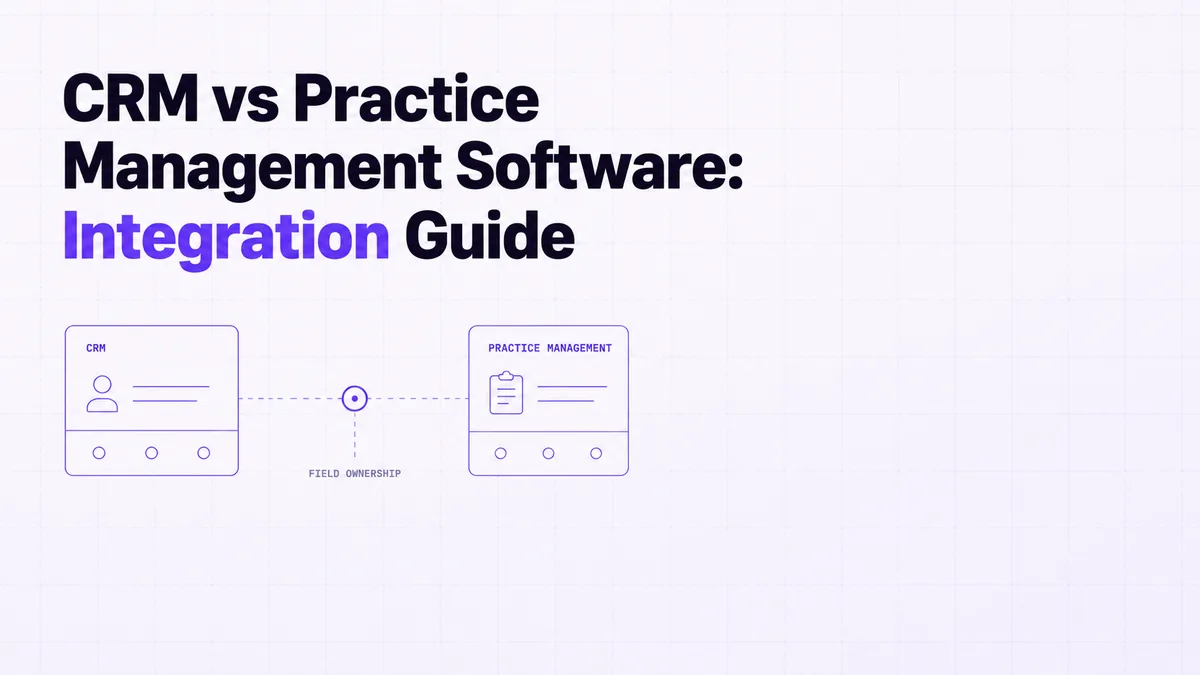
Use difference between crm and practice management to decide what belongs in each system, where to integrate, and how workflows should connect.
 Zegham AliJul 12, 2026