Listicle
7 Benefits of an AI Social Media Assistant in 2026
Explore the benefits of using AI-powered social media assistant systems for faster posts, consistent brand voice, human approvals, and feedback-led growth.
 Zegham AliApr 24, 2026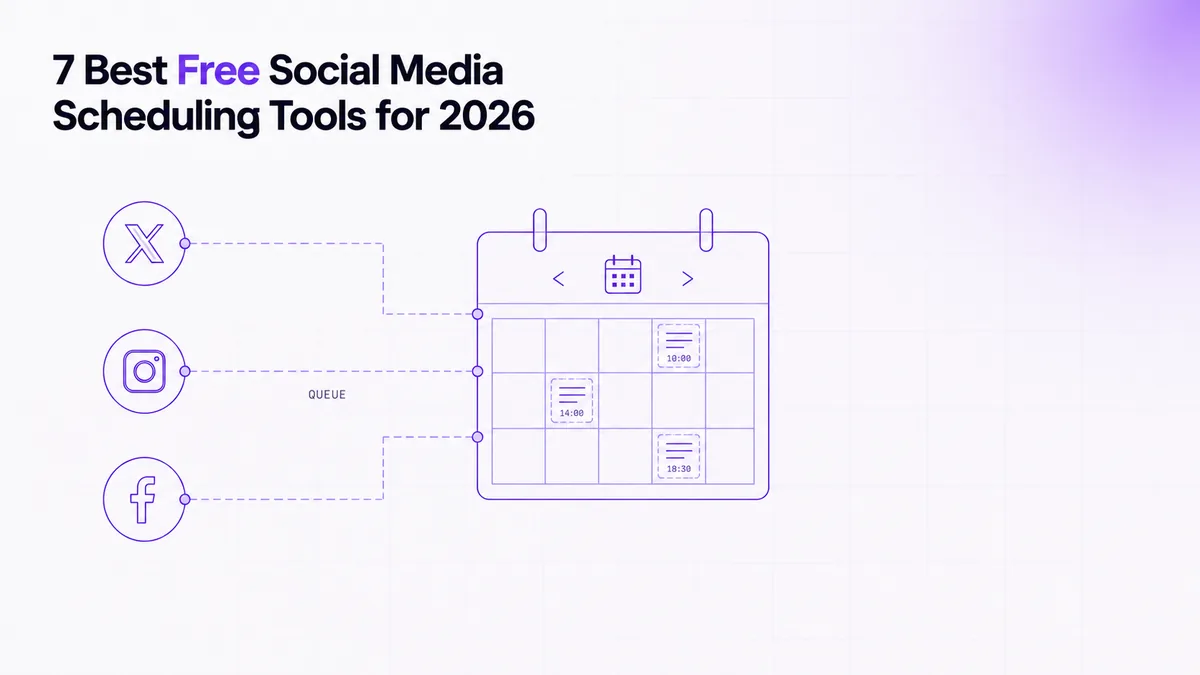
 Awais AhmadMar 30, 2026
Free social media posting and scheduling tools remove the repetitive work of opening each network, rebuilding the same post, checking the calendar, and confirming whether publication actually succeeded. In 2025, Sprout Social reported that 63% of marketing teams were burdened by manual tasks spanning content creation, approvals, reporting, and performance tracking (Sprout Social, Social Media Productivity Report summary).
A tool counted as free here only when it offered continuing access without a mandatory paid subscription; usage-capped access and time-limited trials are labeled separately. We assessed the seven options by platform coverage, connected-account limits, queue capacity, content creation, approvals, analytics, upgrade pressure, and the full path from draft to published status.
The workload behind that test is substantial. In 2025, Sprout Social found that full-time social marketers spent 5 hours each week on content creation and approvals, compared with 3.8 hours on reporting, 3.6 hours on planning, and 3.5 hours responding to customers in the same report.
Buffer is the best overall starting point, Metricool is the stronger choice when free analytics matter most, and Meta Business Suite is the best native option for teams publishing only to Facebook and Instagram. In 2026, Buffer's permanent free plan included 3 channels and 10 queued posts per channel, while Post Bridge offered only a 7-day trial, so “free” must be checked against both duration and usage limits (Buffer Pricing; Post Bridge Pricing).

Photo by Ahmed on Pexels
Buffer is the best overall free scheduler because its limits are easy to understand, its queue is practical for a small operation, and its platform coverage is broader than most free competitors. As accessed in 2026, the Buffer social media post scheduler allowed 3 connected channels, 10 queued posts per channel, and 1 user, with AI Assistant access and basic analytics included (Buffer Pricing).
The core workflow is uncomplicated: connect a channel, create a post, customize the copy and media for each destination, choose a publishing time, and inspect the queue. Buffer's strongest operational advantage is that the queue behaves like a visible worklist rather than a hidden automation. You can see what is scheduled, move an item, pause a channel, and refill a slot after a post leaves the queue.
Platform breadth is another reason it ranks first. In 2026, Buffer documented support for 11 social platforms, including Facebook, Instagram, LinkedIn, TikTok, X, Threads, Bluesky, Pinterest, YouTube, Google Business Profile, and Mastodon (Buffer API). That makes it suitable for a solo marketer or small company that needs one interface without committing to a large suite.
The free plan becomes restrictive when you manage more than a few brands, need additional collaborators, or want a deeper backlog. The concurrent queue cap matters more than it first appears: a channel can hold only a limited number of scheduled items at once, even though you may refill it after publication. Buffer is therefore strongest for steady weekly publishing, not large campaign batches or multi-stage approvals.
Metricool is the best free choice when reporting and scheduling need to live in the same workspace. As accessed in 2026, Metricool's Free plan covered 1 brand, 20 scheduled posts per month, 5 competitor profiles, and 30 days of analytics, but excluded LinkedIn and X publishing (Metricool Pricing).
That combination changes who should choose it. Buffer gives more flexible channel breadth, while Metricool gives a clearer view of recent performance, competitor activity, and recommended publishing times. For a small business focused on supported networks, the ability to schedule and then inspect results without exporting data can be more valuable than connecting another channel.
The monthly post cap is the main operational constraint. A team publishing every weekday can reach the limit quickly, especially when separate network variants count as separate scheduled posts. The single-brand rule also means agencies and multi-location companies will hit the upgrade boundary before they exhaust the analytics window.
Metricool works best when one person manages one brand and wants a compact planning-and-reporting loop. Draft the post, place it on the calendar, use the timing guidance as a starting point, then compare published results inside the same account. Treat best-time recommendations as evidence, not an instruction: campaigns, launches, and customer-support posts often need to go live when the business event happens, not when the historical engagement curve peaks.
The free plan is a weaker fit when X or LinkedIn is central to the channel mix. That is not a minor missing feature; it breaks the cross-platform workflow and forces a second scheduler or native posting process.

Photo by Walls.io on Pexels
Publer is the best option for users attracted to batch preparation, but its most useful bulk controls sit behind the paid plan. As accessed in 2026, Publer's Free plan provided 1 user, 1 workspace, 3 social accounts, 10 queued posts per account, and 25 saved drafts, while X was excluded (Publer Pricing and Product Guidance).
The distinction between drafts and queued posts is important. Draft storage lets you prepare a larger content inventory, but the free queue still limits how much can be scheduled at once. For a creator preparing a week of posts, that may be enough. For an agency importing a campaign calendar, the manual work of moving drafts into limited queue slots becomes noticeable.
Publer's paid positioning also reveals the real upgrade trigger. In 2026, bulk upload and post approvals were listed as Professional features starting from $5 per social account. Those are not decorative extras: bulk upload removes repetitive entry, and approvals separate the person writing a post from the person accountable for publishing it.
The practical workflow is strongest when one operator prepares reusable content in batches, stores variants as drafts, and schedules a manageable number of posts per account. Content recycling can help with evergreen material, but repeated posts still need review for stale offers, outdated links, and platform-specific formatting.
Publer is less suitable when X is mandatory, several teammates need access, or the business wants a true import-to-approval pipeline without upgrading. Its free tier demonstrates the product well, but the feature boundary appears exactly where a larger production workflow begins.
Meta Business Suite is the best free scheduler for a business that publishes only to Facebook and Instagram and does not need a separate cross-platform system. In 2026, Meta's current help documentation described scheduling across 2 networks and a desktop Planner that displays 4 content categories: posts, Stories, Reels, and ads (Meta Business Help Center).
The main advantage is native access. The scheduler is tied directly to the Facebook Page and connected Instagram account, so publishing permissions, media handling, messages, and platform analytics remain inside Meta's own environment. That removes a third-party authorization layer and can reduce the number of places an administrator must inspect when access changes.
The workflow is enough for many local businesses: create the content, choose Facebook, Instagram, or both, preview the destination-specific result, schedule it, and review the Planner. Permissions can still become the difficult part. Page access, business portfolio roles, and the Instagram connection must be correct before another team member can publish reliably.
Its limitation is equally clear: Meta Business Suite is not a general social scheduler. It does not replace an X queue, LinkedIn calendar, or broader multi-network approval system. Teams often choose it because it is free, then discover that the real cost is maintaining a separate process for every non-Meta channel.
Use Meta Business Suite when Facebook and Instagram are the whole job. Once content must move through one calendar, one approval path, and several unrelated networks, a third-party scheduler becomes easier to govern.
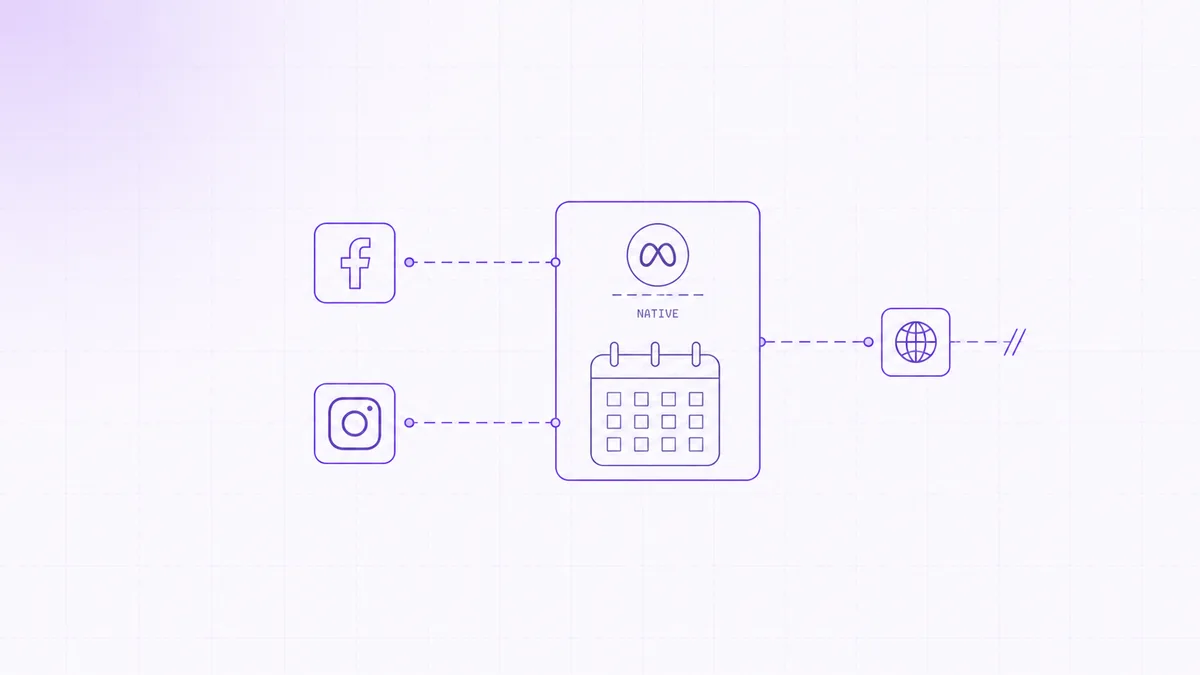

Photo by Mikhail Nilov on Pexels
Adobe Express Content Scheduler is the best free choice when designing the asset and scheduling the post should happen in one workspace. In 2025, Adobe documented that Free users could publish up to 1,000 posts per month across 6 supported social channels, with 1 account per channel (Adobe Express Content Scheduler Help).
That allowance is unusually high, but the more meaningful advantage is the design-to-calendar handoff. A user can create a graphic, resize or adapt it, prepare the caption, and place the result into the publishing calendar without downloading the file and re-uploading it elsewhere. Fewer file transfers mean fewer opportunities to publish an old export or lose the final caption revision.
The scheduler suits visual campaigns, product announcements, event graphics, and recurring branded content. It is particularly useful when the same person owns both creative production and publishing. The calendar provides the operational view, while the editor remains the source of the visual asset.
The account model is the constraint to examine. One account per channel is enough for a single brand, but it does not map cleanly to agencies, franchises, or companies with regional profiles. Team workflow also matters: creating a polished asset is not the same as running a formal approval chain with named reviewers and locked publishing permissions.
Adobe Express is therefore strongest when content creation is the bottleneck. Teams whose bottleneck is governance, client approval, or many connected profiles should compare the account and collaboration model before being persuaded by the large monthly publishing allowance.
Planable is the best free-access option for teams that need comments and approvals before a post reaches the publishing queue. As accessed in 2026, Planable offered the first 50 posts free without a time limit or credit card requirement, while its Basic plan was advertised from $33 per workspace per month (Planable Pricing).
This is usage-capped access rather than a permanent recurring allowance. The difference matters. A permanent free plan resets or remains available under continuing limits; Planable's free access is a finite pool that eventually runs out as the team creates and approves content.
Its value is the review flow. A draft can be presented in a recognizable social-post format, discussed in context, revised, approved, scheduled, and then tracked toward publication. That avoids review chains in email or chat where the latest copy, image, and approval status can become separated.
Planable makes the most sense when mistakes are expensive: regulated wording, client-owned accounts, executive posts, or campaigns where several people must sign off. The free allowance is enough to test whether the review behavior fits the team, but an active publishing calendar will consume it.
The upgrade decision should be based on process, not just volume. A team that needs clear approval states may justify the workspace cost sooner than a solo creator who simply needs a queue. Conversely, a small team with occasional posts can use the initial allowance to validate its governance model before committing.

Photo by Plann on Pexels
Post Bridge is the best trial-based option in this list for testing broad cross-posting, but it is not a permanent free scheduler. As accessed in 2026, Post Bridge advertised a 7-day free trial, scheduling for 9 platforms, and a $29 monthly tier covering 15 connected social accounts (Post Bridge Pricing).
The useful part of the product is the single-post-to-many-destinations workflow. A marketer prepares the shared core, adjusts network-specific text or media where needed, selects destinations, and schedules publication. Those Post Bridge social media scheduling features are attractive when X and Facebook must be handled from the same operating view rather than through separate native calendars.
The trial should be treated as a workflow test, not proof that the tool will remain economical. During the trial, check whether per-network customization is obvious, whether unsupported media is rejected before scheduling, whether failed destinations are reported separately, and whether the publication log says what happened. A cross-post can partially succeed: Facebook may publish while another destination fails because a token expired or a media rule differs.
Independent evidence is still thin. In 2026, the visible Post Bridge social media scheduling tool reviews on Product Hunt showed a 5.0 rating based on only 2 reviews, which is too small a sample for a broad satisfaction claim (Product Hunt Post Bridge Reviews).
Choose Post Bridge when you can spend the trial validating a real campaign across the networks you use. Do not choose it because the trial badge makes it look equivalent to a permanent free plan.
Free social media posting and scheduling tools differ more in the shape of their limits than in whether they display a calendar. In 2025, Adobe documented a cap of 1,000 posts per month, while the other vetted free-access offers were constrained by smaller monthly, concurrent, or lifetime allowances (Adobe Express Content Scheduler Help).
| Tool | Free status | Account or queue limit | Users | X support on free access | Facebook support | Creation | Approvals | Analytics | Result logging | First paid price in vetted data |
|---|---|---|---|---|---|---|---|---|---|---|
| Buffer | Permanent free plan | 3 channels; 10 queued per channel | 1 | Yes | Yes | AI-assisted copy and post editing | Limited | Basic | Queue and publication status | Not supplied |
| Metricool | Permanent free plan | 1 brand; 20 scheduled per month | Not supplied | No | Available on supported free networks | AI assistant | Limited | 30-day window | Calendar and published-result view | Not supplied |
| Publer | Permanent free plan | 3 accounts; 10 queued per account; 25 drafts | 1 | No | Available on supported free networks | Draft and media workflow | Paid feature | Limited | Scheduled-status view | $5 per social account |
| Meta Business Suite | Permanent native access | Facebook and Instagram only | Role-based access | No | Yes | Native post, Story, Reel, and ad workflow | Permission-based review | Native | Planner and platform status | No separate subscription |
| Adobe Express | Permanent free plan | 1 account per channel; 1,000 posts monthly | Not supplied | Verify against current channel list | Verify against current channel list | Strong design editor | Limited | Limited | Calendar status | Not supplied |
| Planable | Usage-capped free access | First 50 posts | Not supplied | Verify in workspace | Verify in workspace | Preview-oriented drafting | Strong | Limited | Approval and publishing states | $33 per workspace monthly |
| Post Bridge | 7-day trial | 15 accounts on cited paid tier | Not supplied | Validate during trial | Validate during trial | Cross-network customization | Not established in vetted data | Not established in vetted data | Test partial-failure reporting | $29 monthly |
The table deliberately marks unclear fields instead of treating every blank as a feature. Product pages often advertise scheduling breadth but leave the failure log, permission model, or reset rule to support documentation. Those details determine whether the scheduler remains useful after the first week.
We selected these tools by testing whether their free access supports a complete operating loop, not by counting feature labels. In 2025, Sprout Social found that content creation and approvals consumed 5 hours per week for full-time social marketers, the largest measured block among the common tasks in its productivity summary (Sprout Social, Social Media Productivity Report summary).
Permanent access counted as free; trials and finite allowances were labeled separately. We checked whether a card was required, whether the offer expired, whether post limits reset, and whether the account could continue publishing after the initial allowance. A trial can still be useful, but it should not be compared with a continuing free plan as though the commitment were identical.
Social media scheduler for multiple accounts creates posts, queues X and Facebook publishing, and logs every result.
We also weighted the limits that affect real work: connected profiles, queued posts, users, supported networks, analytics history, and the first restriction that forces an upgrade. A large publishing cap is less valuable when the account model cannot represent the business.
The test followed one post from creation to verified publication. The workflow was: prepare the shared message, adapt it for X and Facebook where supported, attach media, request approval when available, schedule each destination, inspect the queue, and verify the final publication status.
The important checks happened at failure points. We looked for an early warning when media was unsupported, a clear state when permissions had expired, separate reporting when one destination failed, and enough logging to tell whether retrying would create a duplicate. A scheduler is reliable when it makes uncertainty visible.
CogWorkLabs' own scheduler was not ranked because the supplied pipeline did not establish a permanent free offer. The product can create posts, queue X and Facebook publishing, handle multiple accounts, and log outcomes, but including it in a “best free” ranking without verified free-plan terms would distort the comparison.
No tool received a higher position because of ownership or an affiliate relationship. Rankings were based on durable free access, workflow fit, documented limits, and how much manual coordination remained after scheduling.

Photo by CP Khanal on Pexels
The right free scheduler is the one whose platform, account, queue, and review limits match the way your team already publishes. As accessed in 2026, Post Bridge advertised a 7-day trial rather than continuing free access, which is why access type must be checked before feature depth (Post Bridge Pricing). Across the seven entries, the verified offers split into 5 permanent free plans, 1 usage-capped allowance, and 1 time-limited trial.
Start with the networks that must publish from one calendar. Meta Business Suite is enough when Facebook and Instagram are the complete scope. Buffer is the safer general choice when X and several other networks matter. A tool that omits one required channel creates a second queue, a second permission model, and a second place to check failures.
Map today's workload and the next growth step against each cap. Count connected profiles, the largest campaign backlog, and everyone who needs to create, approve, or publish. Buffer and Publer both expose concurrent queue limits, Metricool uses a monthly publishing cap, Adobe Express uses a much larger monthly allowance, and Planable consumes a finite free pool.
The upgrade threshold is where normal work no longer fits, not where a pricing page says “advanced.” A second brand, another reviewer, or a longer campaign calendar can be the true trigger.
Choose a scheduler that makes partial failure explicit. Social connections expire, page roles change, media rules differ, and a post accepted by one network may be rejected by another. Before committing, disconnect a test account, use a deliberately unsupported asset, and inspect the alert, retry path, and publication log.
A safe retry should distinguish “not published” from “status unknown.” Without that distinction, repeating the job can create duplicate posts. The failure record should identify the destination, timestamp, reason, and whether a retry was attempted.
A custom workflow becomes practical when free limits force several tools to share one publishing process. The usual signal is not raw post volume; it is coordination debt: separate logins, copied captions, manual approval handoffs, and no common audit trail.
When that happens, define the data model first: account, destination, content variant, media asset, scheduled time, approval state, publish attempt, external post identifier, and final status. That structure lets a custom system queue X and Facebook separately, retry only failed destinations, and preserve a readable result log without duplicating successful posts.
Free social scheduling works best when the tool matches the channel mix and makes publication status visible. In 2026, Hootsuite and Censuswide found that 43% of social media managers spent more than 11 hours per week using AI tools, while 40% regularly double-checked or edited AI output, showing that automation still needs review (Hootsuite and Censuswide).
Social media scheduling is the process of preparing posts in advance and assigning each one a future publishing time. It is useful because planning, review, and publication can happen in one controlled queue instead of through repeated manual logins. A good scheduler also preserves platform-specific variants, shows what is waiting, and records whether each destination published successfully.
Social media scheduling tools improve marketing efficiency by combining repetitive publishing steps into one managed workflow. The practical gain comes from writing shared content once, adapting it by network, collecting approval before the deadline, and checking one calendar for status. The tool should reduce handoffs and uncertainty; a larger feature list does not help when failures remain invisible.
Scheduling tools save time by turning scattered posting sessions into planned batches. A marketer can prepare several posts during one focused work period, assign times, and return only when an exception needs attention. The largest savings usually come from avoiding duplicate uploads, repeated caption edits, separate approval messages, and manual checks across each social account.
Schedule posts for multiple social media platforms by connecting each authorized account, creating a shared draft, and then editing the text, media, tags, and timing for every destination. Preview each version before queuing it because character limits, aspect ratios, link behavior, and supported media differ. After publication, verify every destination separately rather than assuming one success means the whole job succeeded.
Yes, several social media scheduling tools provide continuing free plans, including Buffer, Metricool, Publer, Meta Business Suite, and Adobe Express under the limits described above. Planable provides a finite free allowance, while Post Bridge provides a time-limited trial. The right comparison is therefore not simply free versus paid; it is permanent, usage-capped, or trial-based access.
Buffer is the best overall free scheduler for most small teams because it combines broad platform support with a clear queue and continuing free access. Metricool is stronger when recent analytics matter more than X or LinkedIn support, Meta Business Suite is best for Facebook and Instagram only, and Planable is the better process test for approval-heavy teams.
AI can speed up first drafts, caption variants, summaries, and tone adjustments, but it does not remove editorial responsibility. In 2026, Hootsuite and Censuswide found that 43% of social media managers spent more than 11 hours weekly using AI tools and 40% regularly checked or edited the output. Use AI to create options, then verify facts, brand language, links, and platform fit before scheduling.
Buffer is the strongest general free choice, while Meta Business Suite is the better native choice when Facebook and Instagram are the whole channel plan. As accessed in 2026, Buffer offered 3 channels with 10 queued posts per channel, and Meta covered 2 networks, which captures the main decision rule: choose the smallest system that fully covers your publishing path (Buffer Pricing; Meta Business Help Center). For teams that have outgrown those limits, CogWorkLabs' social media post scheduler for multiple accounts creates posts, queues X and Facebook publishing, and logs every result.
Awais Ahmad is a Senior RPA and Workflow Engineer at CogWork Labs. He builds production workflow automation with retries that actually retry, idempotency, and audit trails — turning brittle scripts into RPA that holds up at scale.
Explore the benefits of using AI-powered social media assistant systems for faster posts, consistent brand voice, human approvals, and feedback-led growth.
Zegham AliApr 24, 2026
Compare Asana vs Monday.com workflow automation, pricing, AI, integrations, and scaling limits to choose the right platform for your growing team in 2026.
Awais AhmadApr 19, 2026
See the best AI systems for reducing customer service costs 2025, updated for 2026 with pricing, channels, integrations, strengths, and practical tradeoffs.
Awais AhmadApr 11, 2026