Listicle
7 B2B Outbound Sales Automation Strategies That Work
Learn b2b outbound sales automation strategies for building targeted sequences, automating calls, protecting deliverability, and measuring pipeline impact.
 Zeeshan AhmadJul 12, 2026
 Zegham AliJul 12, 2026
A ClickUp automation workflow fails when it moves unclear work faster instead of making the work clearer. Agencies usually feel the damage as missing intake details, silent handoffs, duplicate tasks, late approvals, and project managers spending the day asking for updates that should already be visible.
In 2025, Atlassian found that 12,000 knowledge workers and 200 executives spent 25% of their time searching for answers (Atlassian, State of Teams 2025). That is the real starting point: before adding rules, identify where information disappears, who owns each stage, and what evidence proves a task is ready to move.
This guide builds one connected agency system from HubSpot intake through project creation, team handoffs, approvals, AI-assisted drafting, delay alerts, rollout, and measurement. The goal is not the largest possible rule library. It is a smaller set of dependable rules that remove repeated copying while keeping judgment, exceptions, and accountability with people.
<figure> <style> .c1 {--surface:#fcfcfb;--ink-1:#0b0b0b;--ink-2:#52514e;--muted:#898781;--grid:#e1e0d9;--accent:#2a78d6;--accent-2:#1baf7a;--negative:#c05a3e;} .c1 text {font-family:system-ui,sans-serif;} @media (prefers-color-scheme: dark){.c1 {--surface:#1a1a19;--ink-1:#ffffff;--ink-2:#c3c2b7;--muted:#898781;--grid:#2c2c2a;--accent:#3987e5;--accent-2:#199e70;--negative:#d0674a;}} </style> <svg class='c1' viewBox='0 0 560 380' role='img' aria-label='Donut chart showing that searching for answers takes 25 percent of work time and other work takes 75 percent.'> <rect x='0' y='0' width='560' height='380' fill='var(--surface)'/> <text x='32' y='34' font-size='18' font-weight='700' fill='var(--ink-1)'>Share of Work Time Spent Searching</text> <text x='32' y='56' font-size='12' fill='var(--ink-2)'>A quarter of team time goes to finding answers</text> <circle cx='180' cy='205' r='100' fill='none' stroke='var(--grid)' stroke-width='40'/> <circle cx='180' cy='205' r='100' fill='none' stroke='var(--accent)' stroke-width='40' stroke-dasharray='157.1 628.3' transform='rotate(-90 180 205)'/> <circle cx='180' cy='205' r='100' fill='none' stroke='var(--accent-2)' stroke-width='40' stroke-dasharray='471.2 628.3' stroke-dashoffset='-157.1' transform='rotate(-90 180 205)'/> <text x='180' y='201' text-anchor='middle' font-size='30' font-weight='700' fill='var(--ink-1)'>25%</text> <text x='180' y='224' text-anchor='middle' font-size='12' fill='var(--ink-2)'>search time</text> <rect x='340' y='145' width='16' height='16' rx='3' fill='var(--accent)'/> <text x='368' y='158' font-size='13' fill='var(--ink-1)'>Searching for answers</text> <text x='500' y='158' text-anchor='end' font-size='15' font-weight='700' fill='var(--ink-1)'>25%</text> <rect x='340' y='195' width='16' height='16' rx='3' fill='var(--accent-2)'/> <text x='368' y='208' font-size='13' fill='var(--ink-1)'>Other work</text> <text x='500' y='208' text-anchor='end' font-size='15' font-weight='700' fill='var(--ink-1)'>75%</text> <text x='32' y='356' font-size='11' fill='var(--muted)'>Takeaway: organize information before adding more automation rules.</text> </svg> <figcaption>Source: Atlassian State of Teams 2025.</figcaption> </figure>A reliable ClickUp setup comes from standardizing the process first, automating stable handoffs second, and measuring the result after launch. In 2014, the Project Management Institute found that poor requirements management wasted 5.1% of project and program spending, equal to $51 million per $1 billion spent (Project Management Institute, Requirements Management Survey).
- Design the operating process before the rule.
- Start with repeated, high-volume handoffs that use predictable data.
- Use AI for interpretation and drafting, but keep a named reviewer responsible.
- Compare cycle time, rework, overdue work, and failure rates against a baseline.
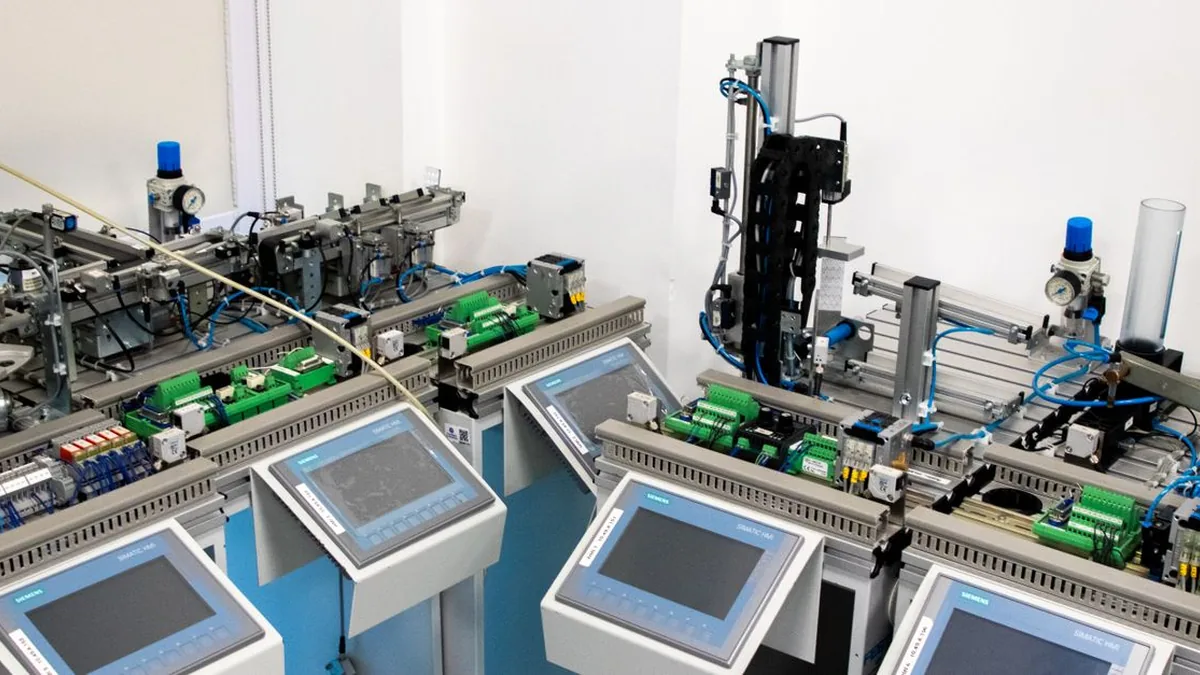
Photo by Ludovic Delot on Pexels
A ClickUp automation workflow is a connected set of rules that changes work automatically when defined events and data conditions occur. A single rule might assign a task when its status changes; a workflow links several rules so intake, production, review, delivery, and reporting behave like one controlled process.
In 2026, current ClickUp documentation states that Automations can run at the Space, Folder, Subfolder, or List level and can apply to tasks, subtasks, or both; an untimed date trigger runs at 4 a.m. in the creator's local timezone (ClickUp, Use Automation Triggers).
A trigger is the event ClickUp watches for, such as a status changing, a due date arriving, or a Custom Field receiving a value. Choose one event that clearly represents a business moment. “Status changes to Ready for Design” is safer than a broad trigger that fires whenever any field changes.
A condition checks whether the task is eligible before the action runs. Conditions can confirm the service type, approval state, owner, priority, or another field. They prevent one shared status from sending unrelated work into the same path.
An action performs the next defined step: assign an owner, add a comment, update a date, apply a template, or create related work. Each action should remove one manual handoff, not hide several business decisions inside a hard-to-debug rule.
A workflow might create a delivery project from a qualified deal, assign strategy when intake is complete, open review tasks when production finishes, and notify account management only after approval. Native ClickUp rules manage events inside ClickUp; an external integration is needed when the process must read or write data in another system.

Photo by Gustavo Fring on Pexels
The safest HubSpot-to-ClickUp automation starts only when a deal reaches a stage that means delivery can genuinely begin. Do not trigger from every form submission or newly created contact; those events usually happen before scope, owner, budget, or start date is settled.
In 2026, current ClickUp HubSpot integration documentation says the native connection requires ClickUp Unlimited or above plus owner or admin setup, supports five ClickUp creation actions from deal-based triggers, and does not support HubSpot workflow Custom Field mapping.
Use a deal-stage change such as “Closed won” or “Ready for onboarding,” then add enrollment filters for the pipeline, service line, and required commercial fields. In 2026, HubSpot documented support for up to 250 enrollment filters, while records enroll only the first time they qualify unless re-enrollment is explicitly enabled (HubSpot, Set Workflow Enrollment Triggers). That default matters when a deal is reopened or moves backward and forward.
Pass the stable delivery data: company name, primary contact, service package, signed scope, start date, account owner, and HubSpot record ID. Store the record ID as the deduplication key. Before creating a project, search for that ID so retries do not create a second client folder or task set.
Select the template from a controlled service-type field rather than from free-text notes. If native mapping cannot populate the required ClickUp fields, use a connector or API step that creates the task, writes Custom Fields, and records the source deal URL. Updated deal data should modify named fields only; it should not overwrite delivery notes that the project team has already changed.
Reliable handoffs happen when every stage has one owner, one completion signal, and one explicit next action. The workflow should tell the next team what is ready, why it is ready, and what deadline now applies without forcing someone to reconstruct the context from comments.
In 2025, Atlassian found that teams spent 25% of work time searching for answers, which makes missing ownership and scattered context measurable operating costs rather than minor annoyances (Atlassian, State of Teams 2025).
Assign ownership by stage, not by whoever last touched the task. Account management owns intake completeness, strategy owns the brief, production owns execution, quality assurance owns verification, and delivery owns the client handoff. Use a role or team field when named assignees change frequently.
Make the core claim visible in the trigger: when Strategy changes to Approved and the service type is Website, assign Development, apply the build checklist, and post the approved brief link. The status is the signal, while the conditions protect unrelated tasks from following the same route.
Set the next due date from the actual handoff date or project milestone, not from the original task-creation date. Where one task cannot start before another finishes, create a dependency and update both tasks when the predecessor slips. Comments should explain exceptions; routine progress belongs in statuses, owners, and dates that reports can read.

Photo by RDNE Stock project on Pexels
Approvals work when the workflow proves that required evidence exists before it routes work forward. A status named “Approved” is not enough if people can select it while the brief, source files, legal review, or client decision is still missing.
In 2014, the Project Management Institute found that weak requirements management wasted 5.1% of project and program spending, or $51 million per $1 billion spent (Project Management Institute, Requirements Management Survey). The study is older, but the mechanism remains relevant: incomplete requirements become revisions, delays, and discarded work.
<figure> <style> .c4 {--surface:#fcfcfb;--ink-1:#0b0b0b;--ink-2:#52514e;--muted:#898781;--grid:#e1e0d9;--accent:#2a78d6;--accent-2:#1baf7a;--negative:#c05a3e;} .c4 text {font-family:system-ui,sans-serif;} @media (prefers-color-scheme: dark){.c4 {--surface:#1a1a19;--ink-1:#ffffff;--ink-2:#c3c2b7;--muted:#898781;--grid:#2c2c2a;--accent:#3987e5;--accent-2:#199e70;--negative:#d0674a;}} </style> <svg class='c4' viewBox='0 0 560 380' role='img' aria-label='Vertical bar chart showing 5.1 percent of project spending wasted through poor requirements and 94.9 percent remaining.'> <rect x='0' y='0' width='560' height='380' fill='var(--surface)'/> <text x='32' y='34' font-size='18' font-weight='700' fill='var(--ink-1)'>Project Spending Lost to Poor Requirements</text> <text x='32' y='56' font-size='12' fill='var(--ink-2)'>Share of project and program spending</text> <line x1='70' y1='85' x2='520' y2='85' stroke='var(--grid)' stroke-width='1'/> <line x1='70' y1='139' x2='520' y2='139' stroke='var(--grid)' stroke-width='1'/> <line x1='70' y1='193' x2='520' y2='193' stroke='var(--grid)' stroke-width='1'/> <line x1='70' y1='247' x2='520' y2='247' stroke='var(--grid)' stroke-width='1'/> <line x1='70' y1='301' x2='520' y2='301' stroke='var(--grid)' stroke-width='1'/> <text x='60' y='89' text-anchor='end' font-size='11' fill='var(--muted)'>100%</text> <text x='60' y='143' text-anchor='end' font-size='11' fill='var(--muted)'>75%</text> <text x='60' y='197' text-anchor='end' font-size='11' fill='var(--muted)'>50%</text> <text x='60' y='251' text-anchor='end' font-size='11' fill='var(--muted)'>25%</text> <text x='60' y='305' text-anchor='end' font-size='11' fill='var(--muted)'>0%</text> <rect x='130' y='290' width='100' height='11' rx='3' fill='var(--negative)'/> <rect x='340' y='96' width='100' height='205' rx='3' fill='var(--accent-2)'/> <text x='180' y='281' text-anchor='middle' font-size='17' font-weight='700' fill='var(--ink-1)'>5.1%</text> <text x='390' y='87' text-anchor='middle' font-size='17' font-weight='700' fill='var(--ink-1)'>94.9%</text> <text x='180' y='326' text-anchor='middle' font-size='13' fill='var(--ink-1)'>Poor requirements</text> <text x='390' y='326' text-anchor='middle' font-size='13' fill='var(--ink-1)'>Remaining spend</text> <text x='32' y='358' font-size='11' fill='var(--muted)'>Takeaway: approval gates protect both quality and budget.</text> </svg> <figcaption>Source: Project Management Institute, 2014.</figcaption> </figure>Create an approval checklist that names the evidence: final file attached, acceptance criteria checked, required fields complete, links tested, and reviewer assigned. In 2026, current ClickUp documentation says required Custom Fields are available on Business plans and above, but they enforce completion at task creation rather than automatically blocking later status changes (ClickUp, Make Custom Fields Required). Use a status-change rule to detect missing approval data and return the task to its prior state.
An approval should release delivery work, while a rejection should reopen production with a reason, owner, and due date. Store the decision in a field instead of relying only on comments. That gives the automation a stable value to evaluate and gives reporting a clear first-pass approval measure.
Do not force urgent, regulated, or nonstandard work through the normal path. Route exceptions to a named operations owner with the reason captured in a field. The exception branch should be visible and auditable, not a private workaround performed in direct messages.
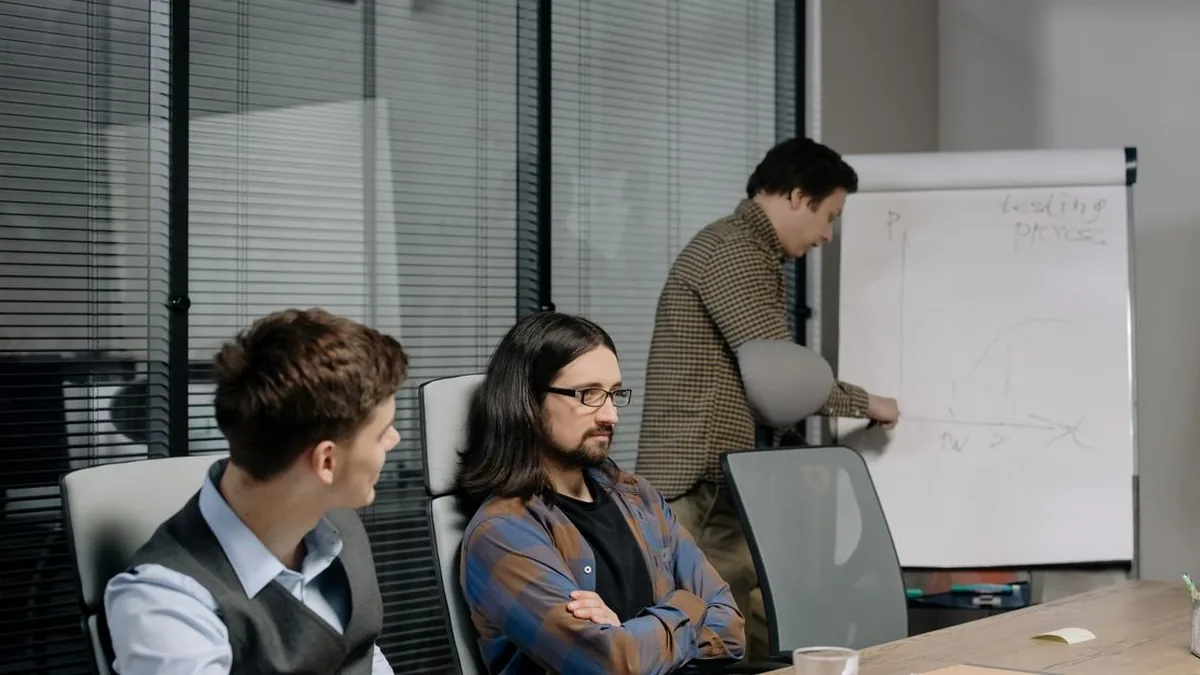
Photo by cottonbro studio on Pexels
AI belongs in a ClickUp workflow when the input needs interpretation, compression, or a first draft—not when the step makes an irreversible business decision. Good candidates turn messy notes into structured text while preserving the source material and requiring review before the output controls delivery.
In 2024, Slack Workforce Lab found that 43% of workers had received no organizational guidance on AI, while workers with defined guidance were nearly six times more likely to have tried AI tools (Slack Workforce Lab). Governance is therefore part of the workflow, not a policy document left outside it.
Send the client notes, signed scope, target audience, deliverables, and constraints to ClickUp Brain or an OpenAI API step. Ask for a fixed structure such as objective, audience, deliverables, exclusions, dependencies, and open questions. Save both the original input and generated draft so the reviewer can compare them.
Summarization is useful when a task has accumulated decisions across comments and documents. Restrict the source to the current task and linked approval records, then ask the model to separate confirmed decisions, unresolved questions, and promised dates. A handoff summary should never invent a decision that is absent from the task history.
Use AI to draft campaign checklists, QA cases, meeting recaps, or a first client update. Require a structured response so each output lands in a known field or document section. In 2023, OpenAI's policy began treating API inputs and outputs as excluded from model training by default unless an organization explicitly opts in (OpenAI, API Data Controls); teams still need to review retention, permissions, and sensitive-data rules for their own use.
Assign a reviewer to accept, edit, or reject every AI-produced artifact that affects scope, compliance, pricing, or client delivery. Record the model output as a draft, not as approved truth. The workflow can accelerate preparation, but ownership must remain visible.
Delay alerts should surface work that needs intervention while leaving healthy work quiet. The useful signal is not “a task exists”; it is “the owner can act now because the task is near its due date, blocked too long, or missing a dependency.”
In 2025, Microsoft found that heavily interrupted users received 275 work pings per day, 60% of meetings were ad hoc, last-minute PowerPoint editing rose 122%, after-hours chats rose 15% year over year, and late meetings rose 16% (Microsoft, Work Trend Index: Breaking Down the Infinite Workday). More alerts are not the cure for late work.
<figure> <style> .c3 {--surface:#fcfcfb;--ink-1:#0b0b0b;--ink-2:#52514e;--muted:#898781;--grid:#e1e0d9;--accent:#2a78d6;--accent-2:#1baf7a;--negative:#c05a3e;} .c3 text {font-family:system-ui,sans-serif;} @media (prefers-color-scheme: dark){.c3 {--surface:#1a1a19;--ink-1:#ffffff;--ink-2:#c3c2b7;--muted:#898781;--grid:#2c2c2a;--accent:#3987e5;--accent-2:#199e70;--negative:#d0674a;}} </style> <svg class='c3' viewBox='0 0 560 380' role='img' aria-label='Lollipop chart showing a 122 percent spike in last-minute PowerPoint editing, 60 percent of meetings being ad hoc, 30 percent spanning time zones, 16 percent late-meeting growth, and 15 percent after-hours chat growth.'> <rect x='0' y='0' width='560' height='380' fill='var(--surface)'/> <text x='32' y='34' font-size='18' font-weight='700' fill='var(--ink-1)'>Signals of an Overloaded Workday</text> <text x='32' y='56' font-size='12' fill='var(--ink-2)'>Selected interruption and schedule indicators</text> <line x1='190' y1='82' x2='190' y2='320' stroke='var(--grid)' stroke-width='1'/> <line x1='266' y1='82' x2='266' y2='320' stroke='var(--grid)' stroke-width='1'/> <line x1='342' y1='82' x2='342' y2='320' stroke='var(--grid)' stroke-width='1'/> <line x1='418' y1='82' x2='418' y2='320' stroke='var(--grid)' stroke-width='1'/> <line x1='495' y1='82' x2='495' y2='320' stroke='var(--grid)' stroke-width='1'/> <text x='190' y='76' text-anchor='middle' font-size='11' fill='var(--muted)'>0</text> <text x='266' y='76' text-anchor='middle' font-size='11' fill='var(--muted)'>30</text> <text x='342' y='76' text-anchor='middle' font-size='11' fill='var(--muted)'>60</text> <text x='418' y='76' text-anchor='middle' font-size='11' fill='var(--muted)'>90</text> <text x='495' y='76' text-anchor='middle' font-size='11' fill='var(--muted)'>120%</text> <text x='178' y='114' text-anchor='end' font-size='13' fill='var(--ink-1)'>Last-minute edit spike</text> <line x1='190' y1='110' x2='500' y2='110' stroke='var(--negative)' stroke-width='3' stroke-linecap='round'/> <circle cx='500' cy='110' r='7' fill='var(--negative)'/> <text x='510' y='115' font-size='15' font-weight='700' fill='var(--ink-1)'>122%</text> <text x='178' y='162' text-anchor='end' font-size='13' fill='var(--ink-1)'>Ad hoc meetings</text> <line x1='190' y1='158' x2='342' y2='158' stroke='var(--accent)' stroke-width='3' stroke-linecap='round'/> <circle cx='342' cy='158' r='7' fill='var(--accent)'/> <text x='352' y='163' font-size='15' font-weight='700' fill='var(--ink-1)'>60%</text> <text x='178' y='210' text-anchor='end' font-size='13' fill='var(--ink-1)'>Cross-time-zone meetings</text> <line x1='190' y1='206' x2='266' y2='206' stroke='var(--accent)' stroke-width='3' stroke-linecap='round'/> <circle cx='266' cy='206' r='7' fill='var(--accent)'/> <text x='276' y='211' font-size='15' font-weight='700' fill='var(--ink-1)'>30%</text> <text x='178' y='258' text-anchor='end' font-size='13' fill='var(--ink-1)'>Late-meeting growth</text> <line x1='190' y1='254' x2='231' y2='254' stroke='var(--accent)' stroke-width='3' stroke-linecap='round'/> <circle cx='231' cy='254' r='7' fill='var(--accent)'/> <text x='241' y='259' font-size='15' font-weight='700' fill='var(--ink-1)'>16%</text> <text x='178' y='306' text-anchor='end' font-size='13' fill='var(--ink-1)'>After-hours chat growth</text> <line x1='190' y1='302' x2='228' y2='302' stroke='var(--accent)' stroke-width='3' stroke-linecap='round'/> <circle cx='228' cy='302' r='7' fill='var(--accent)'/> <text x='238' y='307' font-size='15' font-weight='700' fill='var(--ink-1)'>15%</text> <text x='32' y='358' font-size='11' fill='var(--muted)'>Takeaway: automate escalation carefully so alerts do not add more noise.</text> </svg> <figcaption>Source: Microsoft Work Trend Index: Breaking Down the Infinite Workday, 2025.</figcaption> </figure>Send one reminder when a task enters a meaningful risk window and include the task, blocker, due date, and required action. Route the message to the owner first. Escalate only when the owner does not update the task or when the deadline passes.
Track the blocked start time in a field or status timestamp. When the threshold is reached, notify the dependency owner and project lead with the exact missing item. Avoid resetting the timer when unrelated fields change.
Group routine updates into views or scheduled summaries. Reserve immediate notifications for approval requests, deadline risk, failed automations, and blocked work with a named resolver. Every alert should answer: who acts, what they do, and by when.
A process audit should identify repeated work, waiting time, error points, system boundaries, and decisions that still require judgment. Start with one service line and follow a real client request from intake to completion rather than designing from memory.
In 2024, Slack Workforce Lab found that 10,281 desk workers spent 41% of their time on low-value, repetitive, or non-core tasks (Slack Workforce Lab). The audit turns that broad problem into a list of specific steps your agency can remove or redesign.
<figure> <style> .c2 {--surface:#fcfcfb;--ink-1:#0b0b0b;--ink-2:#52514e;--muted:#898781;--grid:#e1e0d9;--accent:#2a78d6;--accent-2:#1baf7a;--negative:#c05a3e;} .c2 text {font-family:system-ui,sans-serif;} @media (prefers-color-scheme: dark){.c2 {--surface:#1a1a19;--ink-1:#ffffff;--ink-2:#c3c2b7;--muted:#898781;--grid:#2c2c2a;--accent:#3987e5;--accent-2:#199e70;--negative:#d0674a;}} </style> <svg class='c2' viewBox='0 0 560 380' role='img' aria-label='Horizontal bar chart showing desk workers spend 41 percent of work time on low-value or repetitive tasks and 59 percent on other tasks.'> <rect x='0' y='0' width='560' height='380' fill='var(--surface)'/> <text x='32' y='34' font-size='18' font-weight='700' fill='var(--ink-1)'>Desk-Worker Time Spent on Low-Value Tasks</text> <text x='32' y='56' font-size='12' fill='var(--ink-2)'>Share of reported work time</text> <line x1='170' y1='100' x2='170' y2='260' stroke='var(--grid)' stroke-width='1'/> <line x1='273' y1='100' x2='273' y2='260' stroke='var(--grid)' stroke-width='1'/> <line x1='377' y1='100' x2='377' y2='260' stroke='var(--grid)' stroke-width='1'/> <line x1='480' y1='100' x2='480' y2='260' stroke='var(--grid)' stroke-width='1'/> <text x='170' y='91' text-anchor='middle' font-size='11' fill='var(--muted)'>0</text> <text x='273' y='91' text-anchor='middle' font-size='11' fill='var(--muted)'>20</text> <text x='377' y='91' text-anchor='middle' font-size='11' fill='var(--muted)'>40</text> <text x='480' y='91' text-anchor='middle' font-size='11' fill='var(--muted)'>60%</text> <text x='160' y='151' text-anchor='end' font-size='13' fill='var(--ink-1)'>Low-value tasks</text> <rect x='170' y='132' width='212' height='20' rx='4' fill='var(--negative)'/> <text x='392' y='149' font-size='15' font-weight='700' fill='var(--ink-1)'>41%</text> <text x='160' y='226' text-anchor='end' font-size='13' fill='var(--ink-1)'>Other tasks</text> <rect x='170' y='207' width='305' height='20' rx='4' fill='var(--accent-2)'/> <text x='485' y='224' font-size='15' font-weight='700' fill='var(--ink-1)'>59%</text> <text x='32' y='350' font-size='11' fill='var(--muted)'>Takeaway: audit repetitive work before choosing what to automate.</text> </svg> <figcaption>Source: Slack Workforce Lab, 2024.</figcaption> </figure>Write each step as an observable event: request received, scope checked, project created, brief approved, work produced, QA completed, client notified. For every step, record the owner, system used, required input, output, and next consumer.
Capture handling time, waiting time, monthly volume, repeated data entry, common errors, and how often the work returns for correction. Mark every point where someone copies information between HubSpot, email, documents, and ClickUp.
Score each candidate on value, stability, risk, and effort using the same internal scale. Favor work with high volume, clear inputs, stable rules, and low consequence when a run fails. A high-value but unstable approval process should be redesigned before it is automated.
Keep negotiation, ambiguous client interpretation, final creative judgment, and high-impact exceptions with people. Automation can prepare evidence, route ownership, and enforce required inputs, but it should not pretend uncertain decisions are deterministic.
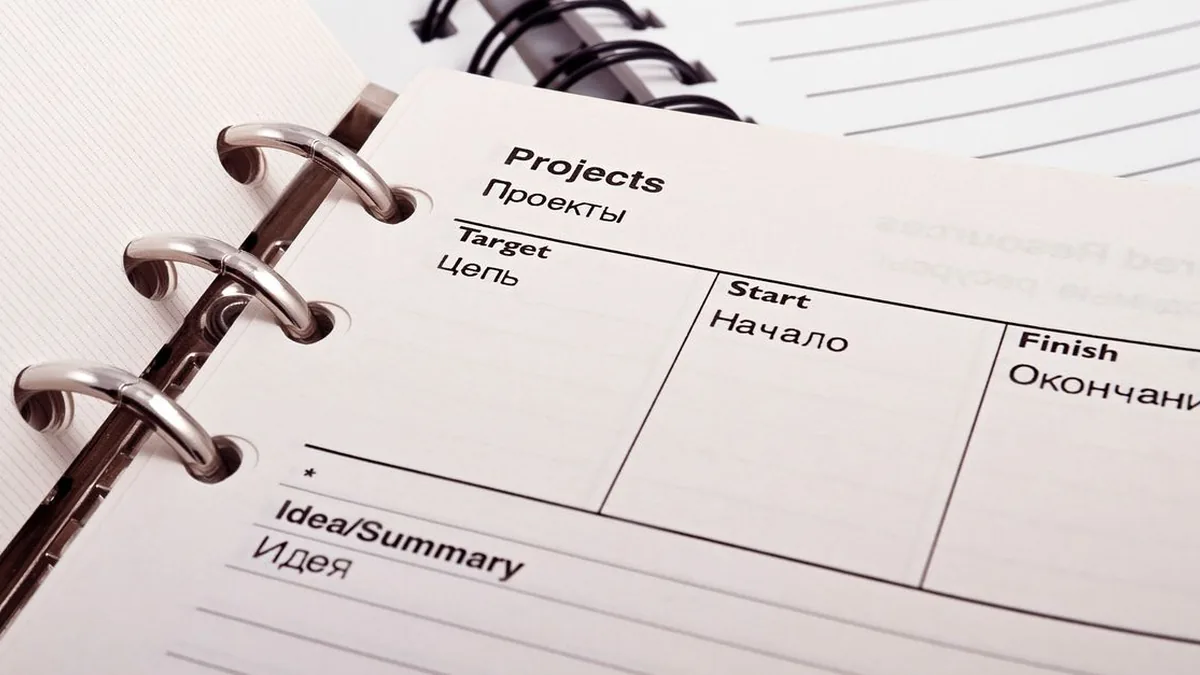
Photo by Pixabay on Pexels
A standardized ClickUp setup gives automations predictable locations, field values, and status meanings. Rules become fragile when two teams use different names for the same stage or when required context lives in descriptions, comments, and private messages interchangeably.
In 2024, Slack Workforce Lab reported that desk workers spent 41% of their time on low-value, repetitive, or non-core work, which is why standardization should remove repeated interpretation before it adds automation (Slack Workforce Lab).
Use the ClickUp hierarchy to express stable boundaries. A Space can represent a department or operating area, a Folder can represent a client or service family, and a List can represent a repeatable work queue. Do not duplicate the same active process across several locations unless the reporting model requires it.
Choose status names that describe real states, such as Intake, Ready, In Progress, In Review, Changes Requested, Approved, and Delivered. Avoid person-specific or vague names such as “With Sarah” or “Working.” The same status should mean the same business condition wherever a shared automation relies on it.
Templates should contain tasks, dependencies, checklists, fields, acceptance criteria, and owner roles. Separate client-provided facts from internal working notes. Use controlled options for service type, approval state, and priority so rules do not depend on spelling variations.
Name one process owner who approves field changes, reviews failed rules, and decides when the workflow changes. Team members can own tasks; the process owner owns the system that moves those tasks.

Photo by Jakub Zerdzicki on Pexels
Build the ClickUp automation workflow at the smallest location that contains all eligible work and no unrelated work. Narrow scope reduces accidental triggers, makes activity logs easier to read, and lets you test without exposing every team to an unfinished rule.
In 2026, current ClickUp documentation states that rules can be created at four hierarchy levels—Space, Folder, Subfolder, and List—and can target tasks, subtasks, or both (ClickUp, Use Automation Triggers).
Open the relevant Space, Folder, or List, then use the Automations area for that location. A client-specific rule belongs in the client location; a shared production rule belongs at the common parent only when statuses and fields are standardized below it.
ClickUp workflow automation connects HubSpot intake, AI briefs, approvals, and QA to reduce handoff errors.
Name the rule after its business effect, such as “Approved brief assigns production.” Use one trigger, then add only the conditions needed to exclude the wrong service type, approval state, or task type. Broad triggers with many unrelated actions are harder to diagnose.
Create a sample task with realistic fields and run the normal path. Verify the new assignee, status, due date, comment, template, and dependency individually. Then repeat the test with one required field missing and with the trigger event repeated to check for duplicate effects.
Read the activity record after every test and compare the trigger data with the resulting action. A rule that appears to work once may still skip subtasks, fire at the wrong hierarchy level, or run again when its own action changes a watched field.
A ClickUp workflow should reach live work only after normal cases, missing data, duplicates, permissions, failures, and rollback have been tested. Pilot it with one small team and preserve enough activity history to diagnose what actually happened.
In 2026, current ClickUp documentation states that Automation activity is retained for one day on Free Forever, Unlimited, and Business plans, 30 days on Business Plus, and six months on Enterprise (ClickUp, Automations Feature Availability and Limits). Your test window must fit the history your plan preserves.
Choose a service line with regular volume, stable stages, and an engaged process owner. Run new and old procedures in parallel long enough to compare outputs, but make one system authoritative so teams do not maintain conflicting task states.
Test the expected path, absent required fields, repeated HubSpot events, rejected approvals, failed connector calls, invalid permissions, and delayed dependencies. Confirm that failures create a visible record and do not silently produce partial projects.
Write the owner, diagnostic location, retry method, and escalation path beside each production rule. Include the credentials or connection owner without exposing secrets. When an integration fails, the responder should know whether retrying is safe or whether deduplication must run first.
Compare the pilot with the audit baseline before copying rules to other teams. Keep a rollback path: disable the rule, restore the prior owner or status logic, and process queued exceptions manually. Expand only when the measured result is stable and the team follows the fields the automation expects.
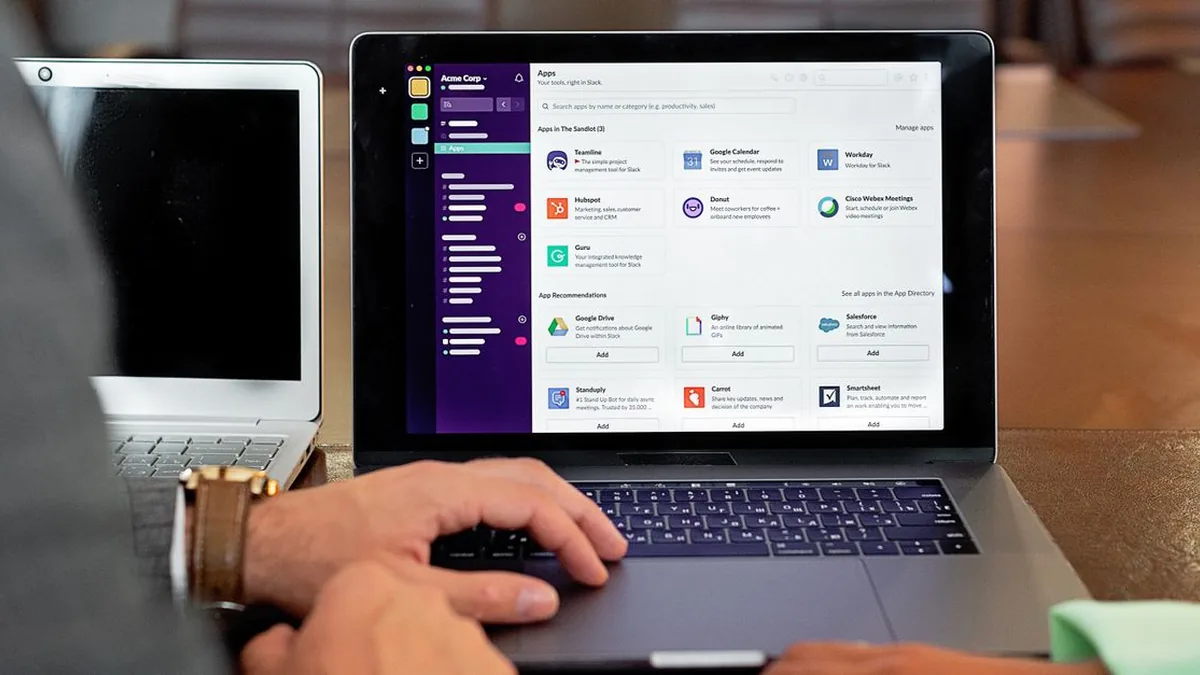
Photo by Mikhail Nilov on Pexels
The right tool is the simplest one that owns the relevant data, exposes enough logs, and can recover safely from failure. Use native rules for native work, CRM workflows for CRM decisions, connectors for cross-system orchestration, and AI only for inputs that require interpretation.
In 2026, current ClickUp documentation says its native HubSpot connection requires Unlimited or above, owner or admin setup, supports five ClickUp item-creation actions, and does not map HubSpot workflow data directly into ClickUp Custom Fields (ClickUp, HubSpot Integration). That limitation often determines when a connector becomes necessary.
Use native ClickUp Automations when the trigger, conditions, and actions all live in ClickUp. They are usually the clearest choice for assignee changes, status routing, due-date updates, comments, templates, and internal notifications because the rule and its activity remain close to the task.
Use HubSpot workflows for lifecycle stages, qualification, pipeline logic, and CRM communications. Let HubSpot decide whether a record is commercially ready; send the resulting delivery event to ClickUp. Avoid duplicating the same qualification logic in both systems.
Use Make documentation, Zapier help, or Activepieces documentation when the workflow needs field transformation, branching, API calls, deduplication, retries, or several applications. Store a source record ID and execution result so reruns are controlled rather than hopeful.
Use ClickUp Brain, ChatGPT guidance, or an API model for summarizing notes, extracting structured fields, and drafting content. Do not add a model to a step that can be handled by a direct field mapping or deterministic condition.
| Approach | Best fit | Main strength | Main constraint |
|---|---|---|---|
| Native ClickUp Automations | Statuses, owners, dates, comments, and templates inside ClickUp | Rule is close to the task and easier to inspect | Cross-app transformation and recovery are limited |
| ClickUp Brain or API-based AI | Summaries, briefs, extraction, and first drafts | Interprets unstructured text | Requires review, permission controls, and clear output schemas |
| HubSpot Workflows | Qualification, lifecycle, pipeline, and CRM-owned communication | Uses the CRM record as the source of truth | Should not own delivery logic that belongs in ClickUp |
| Make, Zapier, or Activepieces | Multi-app routing, mapping, branching, and retries | Connects systems and supports richer orchestration | Adds another execution layer that needs logs and ownership |
The most damaging ClickUp automation mistakes are unstable processes, overlapping rules, missing source data, noisy alerts, and failures with no owner. Each one makes the workspace less trustworthy, so people return to private messages and manual tracking.
In 2026, current ClickUp documentation states that an Automation is deactivated after it fails more than five times in one week with the same error, and the creator or Workspace owner is notified (ClickUp, View Automation Activity). A platform safeguard does not replace active monitoring.
A rule cannot stabilize a process whose stages, owners, or acceptance criteria change every week. Document the current path, resolve the disputed decisions, then automate the stable portion. Keep volatile choices visible and manual until they settle.
Two rules that react to each other's actions can create loops, repeated comments, reassignment churn, or unexpected usage. Map which fields every rule reads and writes. When possible, let one rule own each state transition.
A condition is reliable only when its source field is reliable. Make important values required at the correct point, provide controlled options, and return incomplete work to the owner. Do not hide critical data in descriptions that rules cannot evaluate consistently.
Repeated low-value alerts teach people to ignore the channel. Send immediate messages only for decisions, failures, blockers, and deadline risk. Put routine progress in dashboards, task views, or scheduled summaries.
Every production rule needs an owner, expected behavior, test cases, failure location, and disable procedure. Record connector run IDs and source record IDs where external systems are involved. A rollback plan should restore a workable manual path without losing queued work.

Photo by Jakub Zerdzicki on Pexels
A ClickUp workflow is working when it reduces elapsed delivery time and manual touches without increasing errors, overdue work, or ignored exceptions. Measure the old and new process over comparable work rather than judging success by the number of active rules.
In 2026, current ClickUp documentation says Automation history ranges from one day to 30 days to six months depending on plan, so failure-rate reporting is only credible when the observation window preserves the events being counted (ClickUp, Automations Feature Availability and Limits).
Calculate cycle time from the agreed intake event to client delivery. Separate active handling time from waiting time where possible. Compare similar project types and exclude paused work only when the pause reason is recorded consistently.
Measure the time between one stage becoming complete and the next owner starting work. Long gaps usually reveal unclear ownership, missing inputs, or notifications that do not reach the person who can act.
Track first-pass approval rate, rework rate, missing-field rate, Automation failures, connector failures, and duplicate records. Review the failed cases, not just the percentage, because one recurring field mismatch may explain most incidents.
Measure adoption through required-field completion, status accuracy, template use, and work performed outside the approved path. Pair the metrics with short interviews: a rule may appear healthy while the team maintains a parallel spreadsheet to handle exceptions.
A better ClickUp system turns clear process decisions into dependable handoffs, visible approvals, controlled AI assistance, and measurable delivery. In 2024, Slack Workforce Lab found that desk workers spent 41% of their time on low-value, repetitive, or non-core tasks, so the practical payoff is more capacity for client judgment and production work (Slack Workforce Lab). Teams that need help auditing the current setup and rebuilding the high-value paths can use ClickUp process optimization to turn the map into a tested operating workflow.
Learn b2b outbound sales automation strategies for building targeted sequences, automating calls, protecting deliverability, and measuring pipeline impact.
Zeeshan AhmadJul 12, 2026
Learn how pipedrive marketing automation integration with sales crm helps B2B teams connect lead sources, automate handoffs, and improve follow-up.
Zegham AliJul 12, 2026
Learn how HubSpot free plan email sync Gmail Outlook works for sales teams, including setup limits, rep workflows, and when a custom sync is needed.
Zeeshan AhmadJul 12, 2026